> For the complete documentation index, see [llms.txt](https://docs.yaycommerce.com/yaymail/llms.txt). Markdown versions of documentation pages are available by appending `.md` to page URLs; this page is available as [Markdown](https://docs.yaycommerce.com/yaymail/addons/woocommerce-product-vendors.md).
# WooCommerce Product Vendors
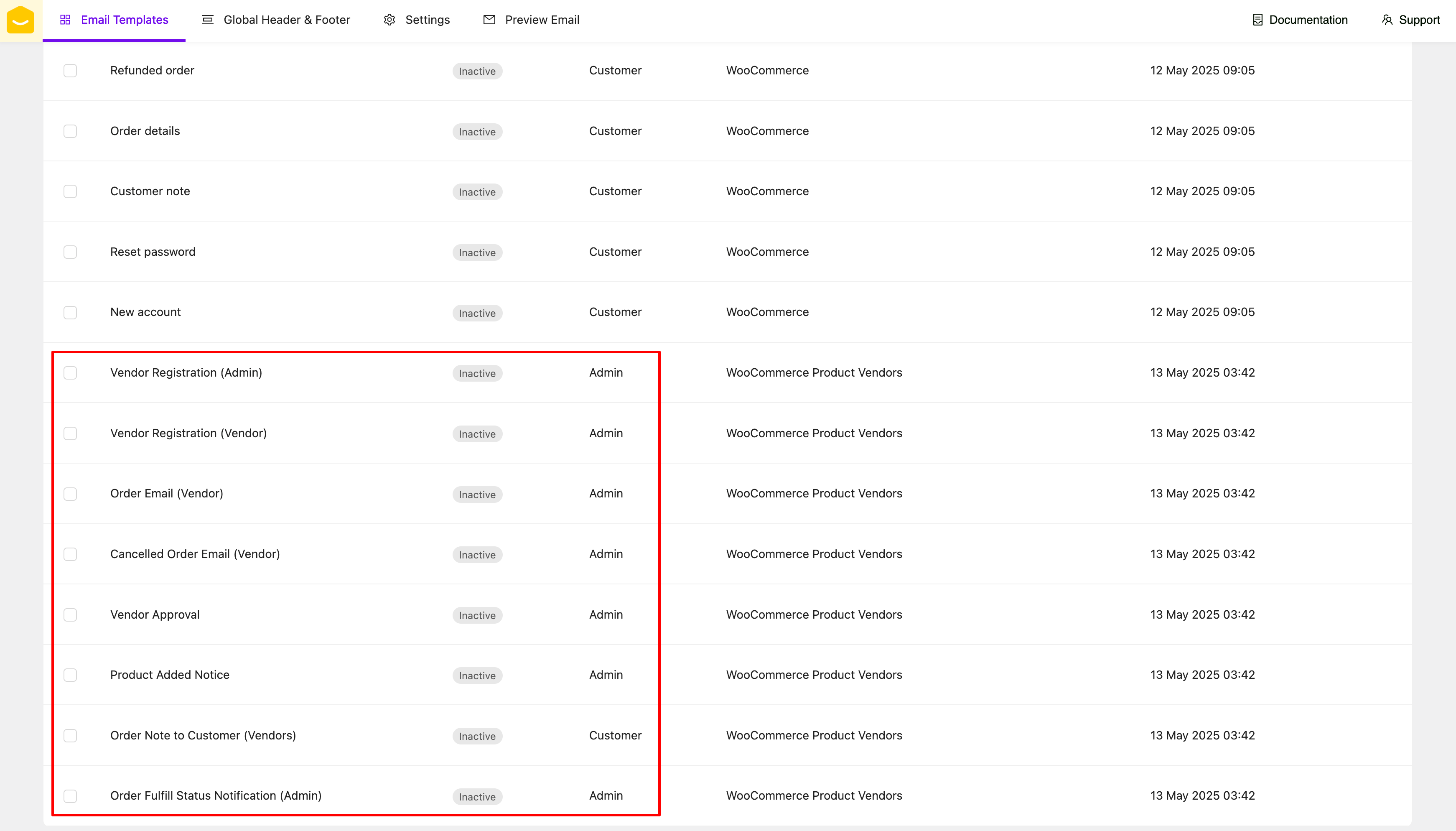
[YayMail Addon for WooCommerce Product Vendors](https://yaycommerce.com/yaymail-addons/yaymail-addon-for-woocommerce-product-vendors/) allows you edit and customize 8 templates from WooCommerce Product Vendors (by WooCommerce) plugin.
**REQUIRED: Here are the WordPress plugins you'll need for this guide.**
* WooCommerce
* YayMail (free/pro)
* [WooCommerce Product Vendors](https://woocommerce.com/products/product-vendors/)
* [YayMail Addon for WooCommerce Product Vendors](https://yaycommerce.com/yaymail-addons/yaymail-addon-for-woocommerce-product-vendors/)
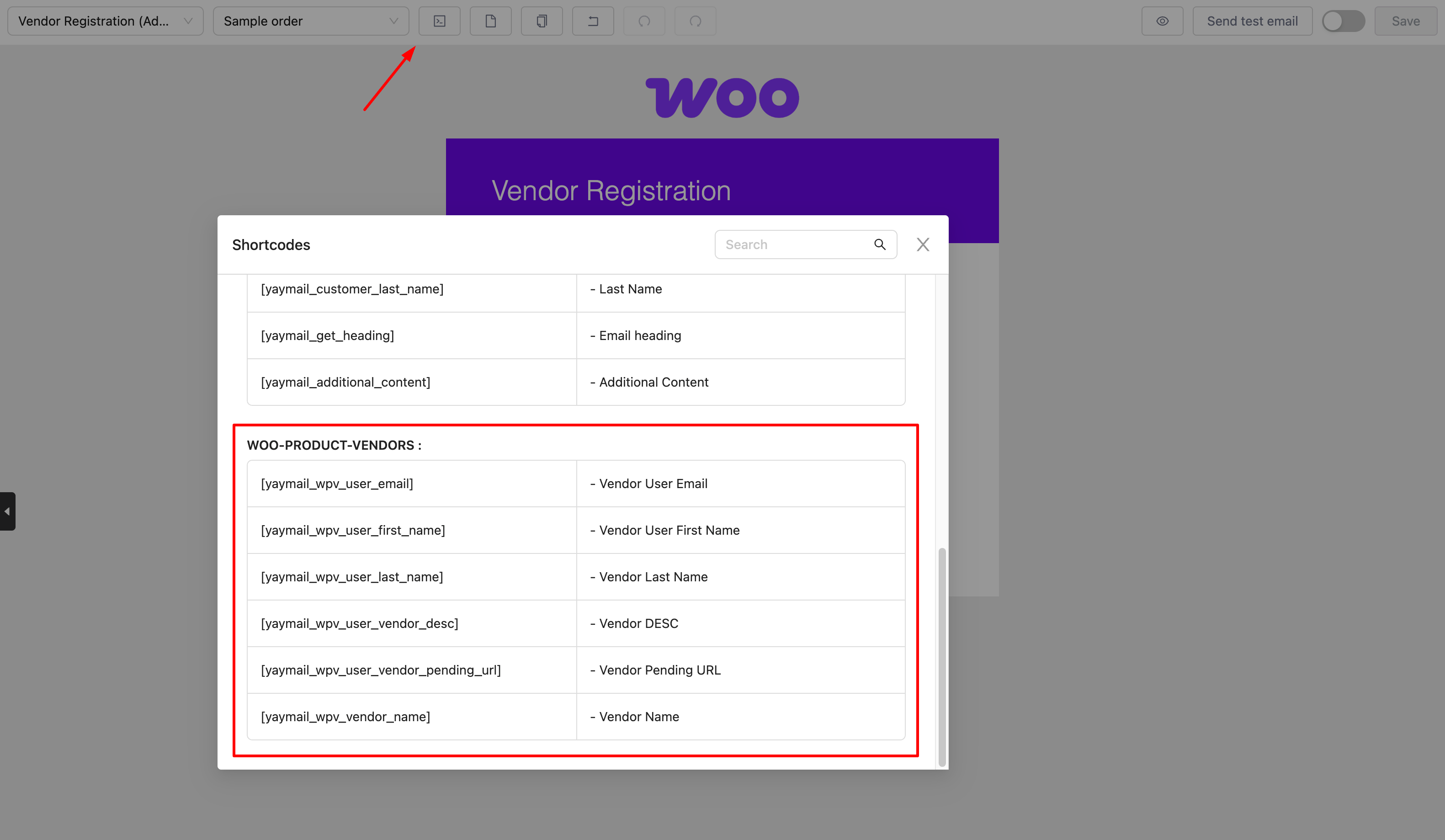
WooCommerce Product Vendors shortcodes are listed in the Shortcode section. Depending on the template you're editing, this section will display only the shortcodes that are available and compatible with that specific template.
There is an element from WooCommerce Product Vendors plugin that is supported in YayMail, you can drag and drop it to a template which contains order.
The availability of elements depends on the specific template you're editing. Elements that are compatible with the selected template will be enabled, while those that are not applicable will be disabled automatically.
And don't forget to enable and save those templates.
Happy customizing! 🪄