> For the complete documentation index, see [llms.txt](https://docs.yaycommerce.com/yaymail/llms.txt). Markdown versions of documentation pages are available by appending `.md` to page URLs; this page is available as [Markdown](https://docs.yaycommerce.com/yaymail/addons/parcel-panel-order-tracking.md).
# Parcel Panel Order Tracking
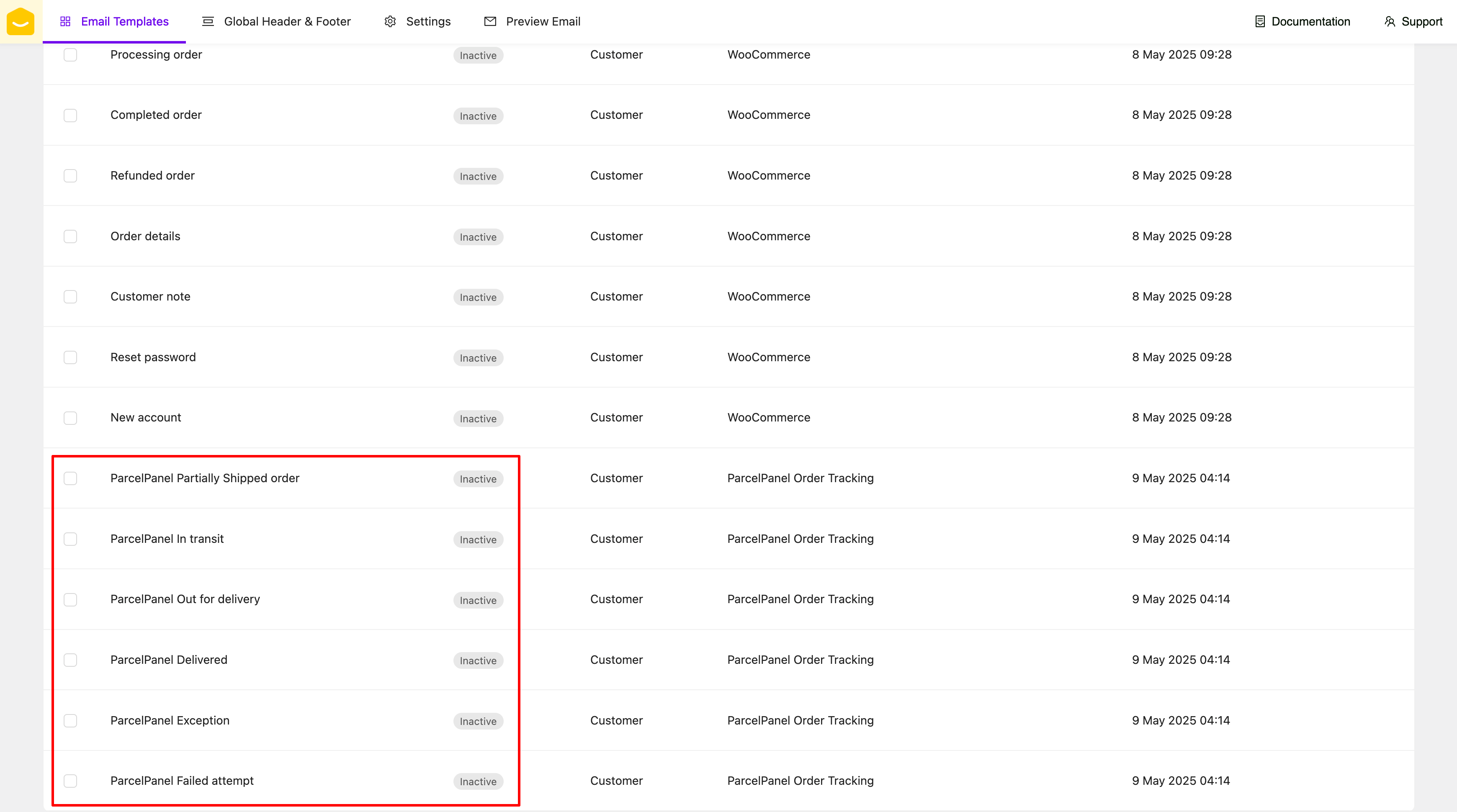
[YayMail Addon for Parcel Panel Order Tracking](https://yaycommerce.com/downloads/yaymail-addon-for-parcelpanel-order-tracking-for-woocommerce/) allows you to customize templates generated by Parcel Panel Order Tracking plugin in YayMail interface.
**REQUIRED: In addition to these two plugins, here are the WordPress plugins you'll need for this guide.**
* WooCommerce
* YayMail (free/pro)
* [ParcelPanel - Shipment Tracking, Order Tracking, and tracking for WooCommerce](https://wordpress.org/plugins/parcelpanel/)
* [YayMail Addon for Parcel Panel Order Tracking](https://yaycommerce.com/downloads/yaymail-addon-for-parcelpanel-order-tracking-for-woocommerce/)
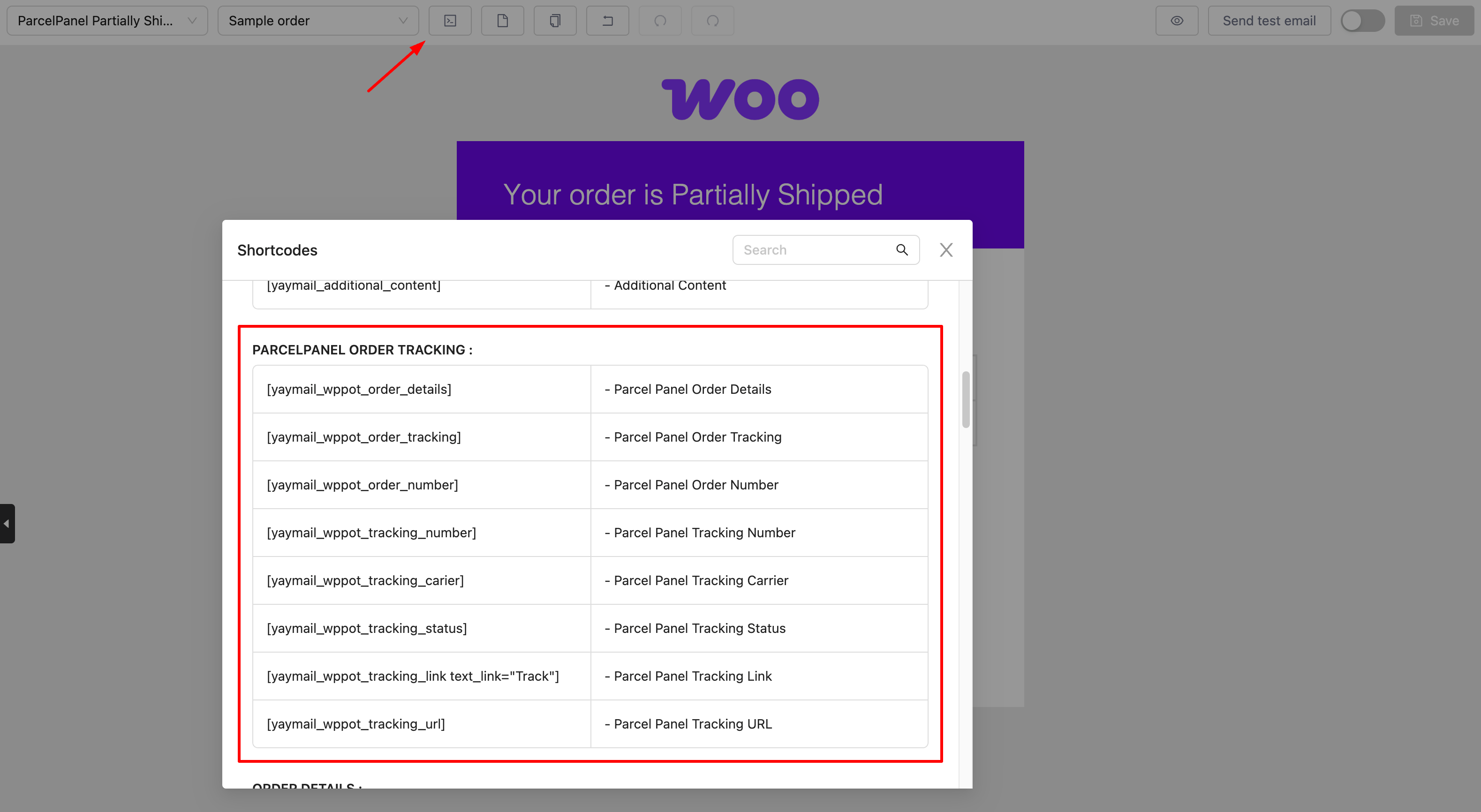
Parcel Panel Order Tracking shortcodes are listed in the Shortcode section.
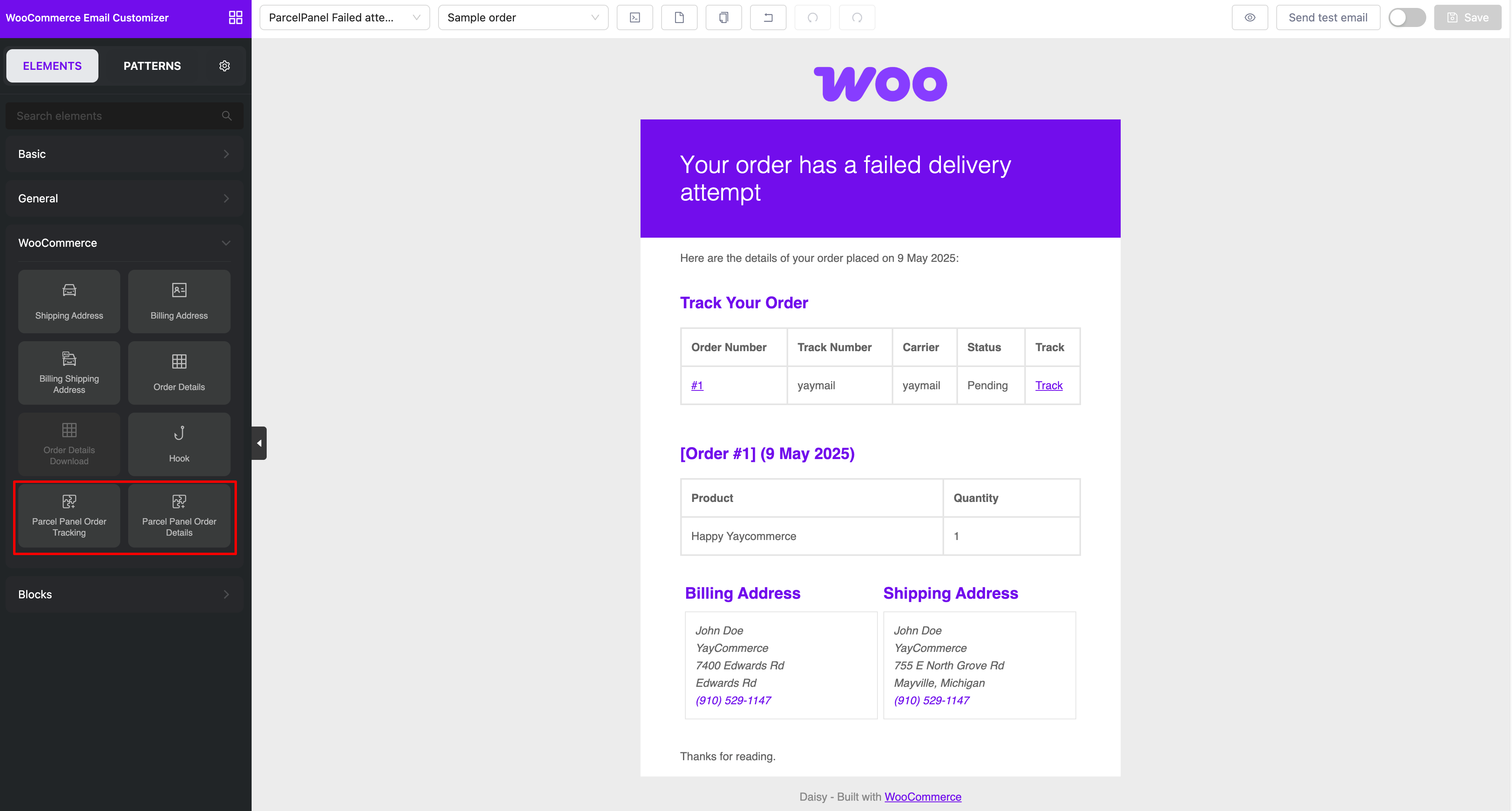
Parcel Panel Order Tracking has two elements for order here.
And don't forget to enable and save those templates.
Happy customizing! 🪄