> For the complete documentation index, see [llms.txt](https://docs.yaycommerce.com/yaymail/llms.txt). Markdown versions of documentation pages are available by appending `.md` to page URLs; this page is available as [Markdown](https://docs.yaycommerce.com/yaymail/addons/colissimo-shipping-methods-for-woocommerce.md).
# Colissimo Shipping Methods for WooCommerce
[YayMail Addon for Colissimo Shipping Methods for WooCommerce](https://yaycommerce.com/yaymail-addons/yaymail-addon-for-colissimo-shipping-methods) allows you to customize templates generated by Colissimo Shipping Methods for WooCommerce plugin in YayMail interface.
**REQUIRED: In addition to these two plugins, here are the WordPress plugins you'll need for this guide.**
* WooCommerce
* YayMail (free/pro)
* [Colissimo Officiel : Méthodes de livraison pour WooCommerce](https://wordpress.org/plugins/colissimo-shipping-methods-for-woocommerce/)
* [YayMail Addon for Colissimo Shipping Methods for WooCommerce](https://yaycommerce.com/yaymail-addons/yaymail-addon-for-colissimo-shipping-methods)
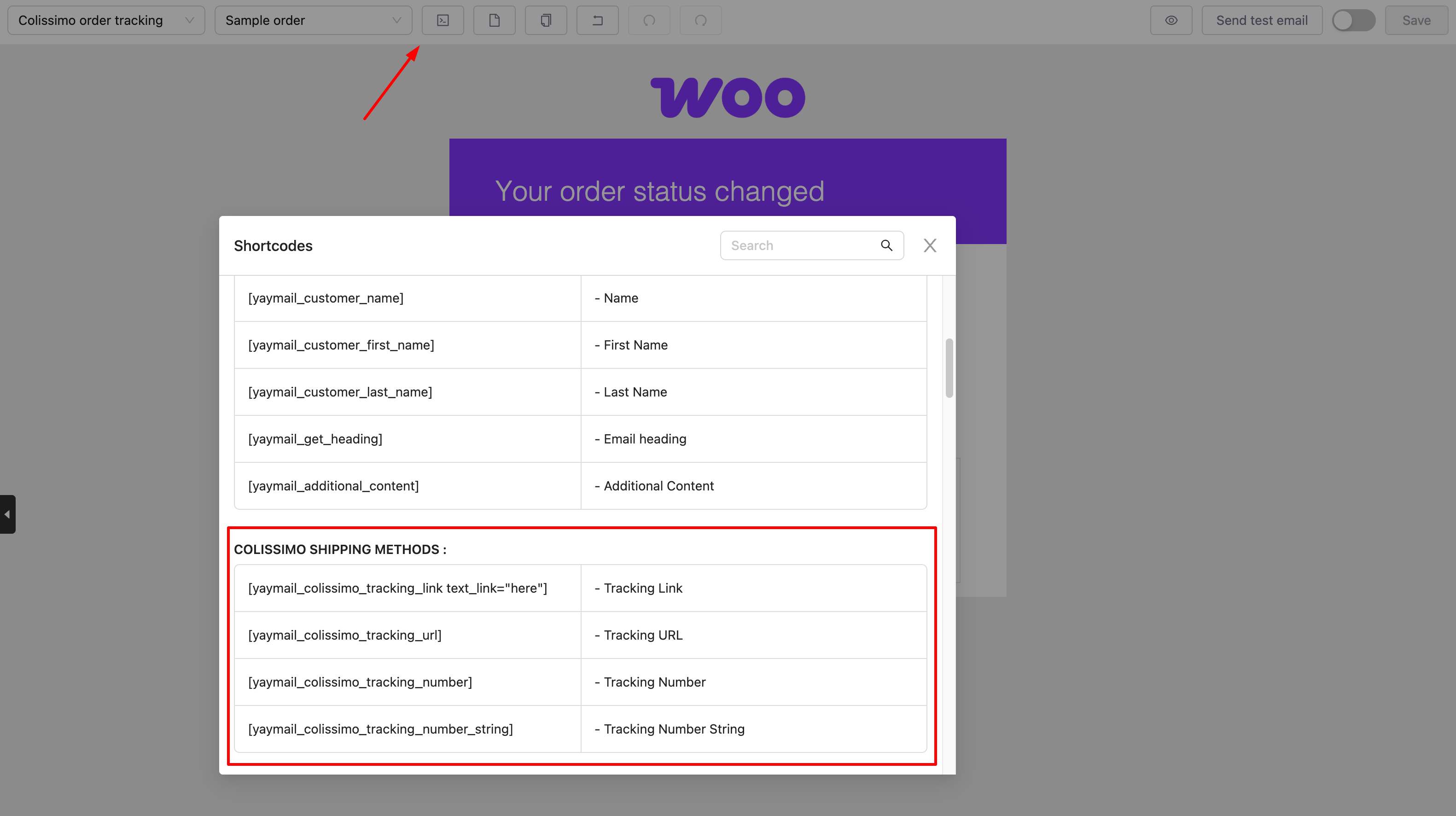
Colissimo Shipping Methods for WooCommerce shortcodes are listed in the Shortcode section. Depending on the template you're editing, this section will display only the shortcodes that are available and compatible with that specific template.
And don't forget to enable and save those templates.
Happy customizing! 🪄