> For the complete documentation index, see [llms.txt](https://docs.yaycommerce.com/yaypricing/llms.txt). Markdown versions of documentation pages are available by appending `.md` to page URLs; this page is available as [Markdown](https://docs.yaycommerce.com/yaypricing/compatibility/woocommerce-brands.md).
# WooCommerce Brands
How YayPricing works with the "WooCommerce Brands" extension
With YayPricing, there is support for discounts on selected brands.
On the Product Pricing tab, you can filter the products that apply the rule by selecting WooCommerce Brands as shown below:
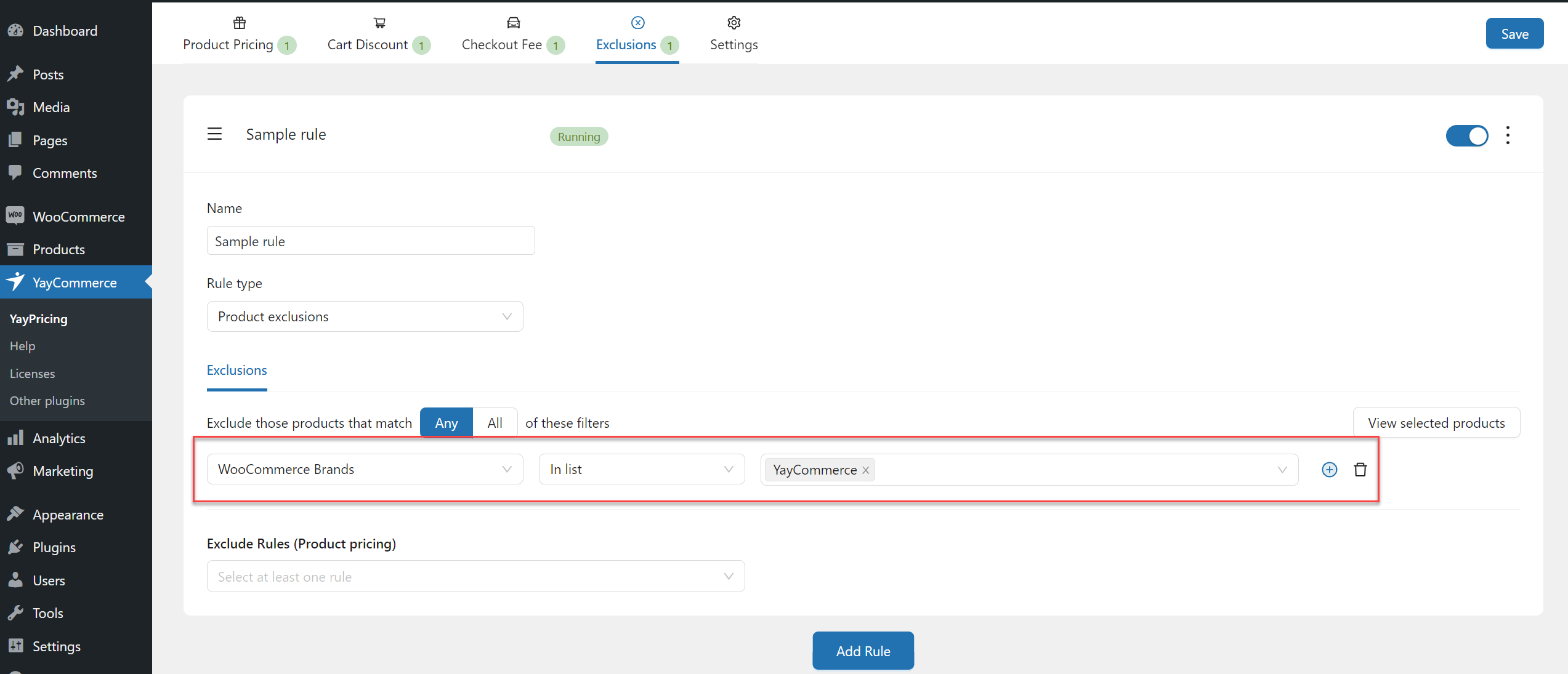
Similarly, on the Exclusions tab, you can also filter products by WooCommerce Brands:
Currently, YayPricing only supports WooCommerce Brands in the selected product filter, not in the Conditions tab.