> For the complete documentation index, see [llms.txt](https://docs.yaycommerce.com/bookster/llms.txt). Markdown versions of documentation pages are available by appending `.md` to page URLs; this page is available as [Markdown](https://docs.yaycommerce.com/bookster/addons/advance-features.md).
# Advance Features
The **Features** section allows administrators to configure additional settings that help customize the appearance, terminology, and security of the Bookster booking system. These settings are optional but recommended to better align the system with your business needs and improve user experience.
The **Features** tab includes the following options:
#### 1. Record Labels
The **Record Labels** feature allows you to customize the names of core entities used throughout the Bookster system.
By default, Bookster uses standard labels such as **Service**, **Agent**, **Customer**, and **Location**. You can change these labels (both singular and plural forms) to match your business terminology. For example, you may rename “Agent” to “Staff” or “Consultant”.
Once saved, the updated labels will be applied across:
* The admin dashboard
* Booking forms
* Related records and management pages
This helps ensure consistency with your business language and improves clarity for both administrators and customers.
#### 2. Brand Logo
The **Brand Logo** feature allows you to upload your company’s logo and display it within the Bookster booking system.
Uploading a brand logo helps:
* Personalize the booking interface
* Strengthen brand recognition
* Create a more professional and consistent appearance
To use this feature, upload an image file of your logo and save the changes. The logo will then be displayed in supported areas of the booking system.
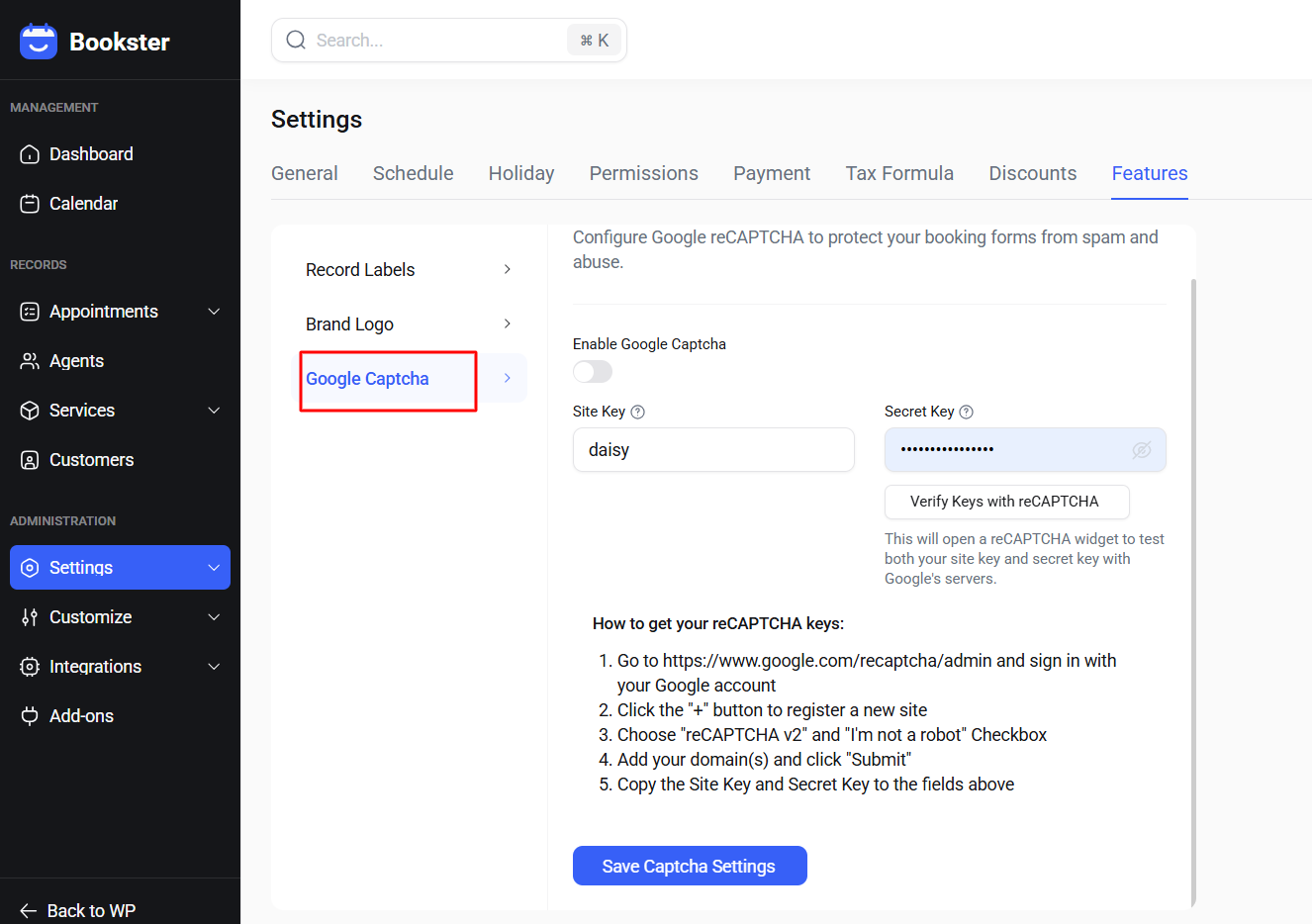
#### 3. Google Captcha
The **Google Captcha** feature helps protect your booking forms from spam, bots, and automated abuse.
When enabled, Bookster integrates **Google reCAPTCHA** into booking forms to verify that submissions are made by real users.
To configure this feature:
1. Enable Google Captcha.
2. Enter your **Site Key** and **Secret Key** generated from the Google reCAPTCHA Admin Console.
3. Use the **Verify Keys with reCAPTCHA** button to test your keys.
4. Save the settings to apply the configuration.
Once activated, reCAPTCHA will appear on booking forms and help improve security and form reliability.