> For the complete documentation index, see [llms.txt](https://docs.yaycommerce.com/bookster/llms.txt). Markdown versions of documentation pages are available by appending `.md` to page URLs; this page is available as [Markdown](https://docs.yaycommerce.com/bookster/addons/stripe.md).
# Stripe
The Bookster Stripe Addon plugin allows you to configure and manage Stripe as a payment gateway for services.
Below are the details of the settings and features available in the Payment section of the plugin.
#### Accessing Payment Settings
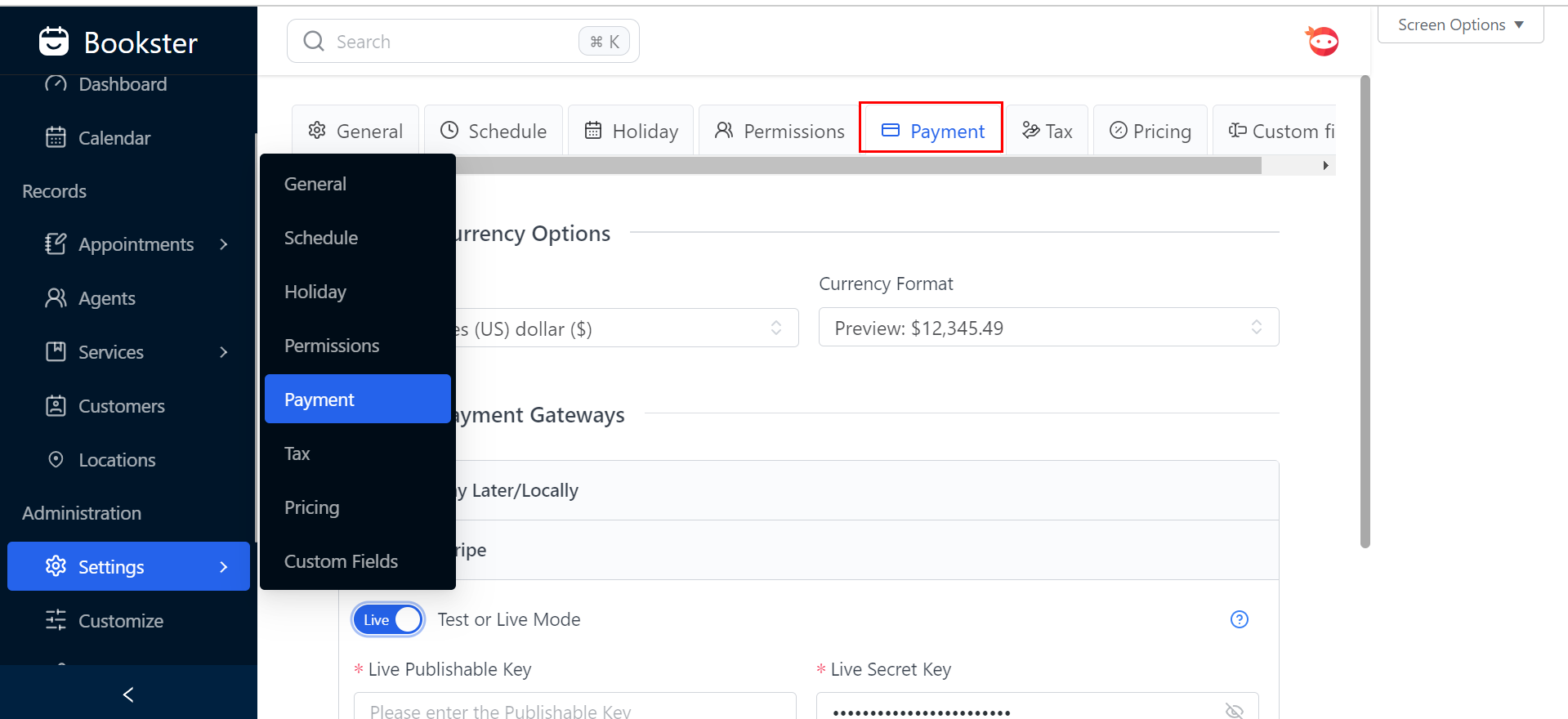
1. **Navigate to Payment Settings**:
* Go to the main menu on the left-hand side.
* Click on "Settings" under the "Administration" section.
* From the dropdown menu, select "Payment" to access the payment settings.
#### Configuring Payment Settings
2. **Currency Options**:
* **Currency**: Select the desired currency from the dropdown menu (e.g., United States (US) dollar ($)).
* **Currency Format**: Choose the format for displaying currency (Preview: $12,345.49).
3. **Payment Gateways**:
* **Pay Later/Locally**: Toggle this option ON or OFF based on your preference for allowing pay later or local payment methods.
* **Stripe**: Toggle the Stripe option ON to enable Stripe as a payment gateway.
#### Stripe Configuration
4. **Stripe Payment Gateway Settings**:
* **Mode**: Select between "Test or Live Mode".
* **Test Mode**: Used for testing the payment gateway without actual transactions.
* **Live Mode**: Used for processing real transactions.
* **Live Publishable Key**: Enter the publishable key provided by Stripe for live transactions.
* **Live Secret Key**: Enter the secret key provided by Stripe for live transactions.
* **Toggle PayPal**: Toggle the PayPal option OFF if you do not want to use PayPal as a payment gateway.
Click on **save changes**!