# Media
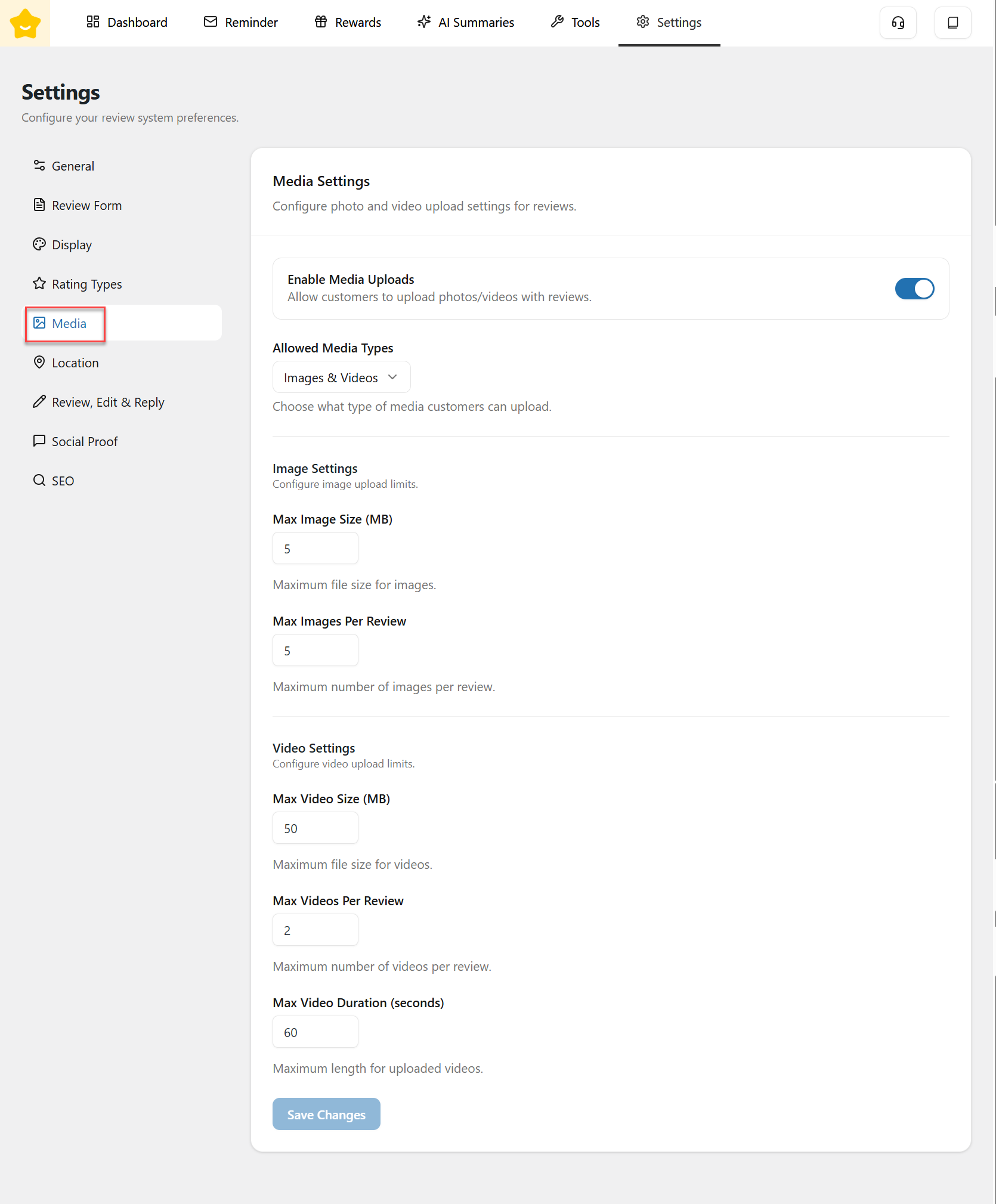
The **Media Settings** section allows you to control how customers upload photos and videos when submitting reviews.
#### Enable Media Uploads
* **Enable Media Uploads** allows customers to attach images and/or videos to their reviews.
* When disabled, reviews will be text-only.
* This option is recommended if you want more authentic and engaging reviews with visual proof.
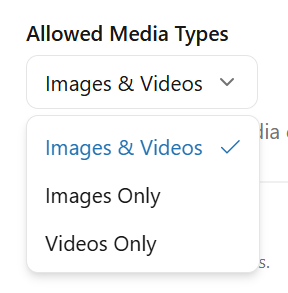
#### Allowed Media Types
Choose which types of media customers are allowed to upload:
* **Images only**
* **Videos only**
* **Images & Videos**
This setting applies globally to all reviews.
### Image Settings
Configure limits for image uploads to ensure optimal performance.
#### Max Image Size (MB)
* Defines the maximum file size allowed for each uploaded image.
#### Max Images Per Review
* Sets the maximum number of images a customer can upload in a single review.
### Video Settings
Control how customers upload videos with their reviews.
#### Max Video Size (MB)
* Defines the maximum file size for each video upload.
#### Max Videos Per Review
* Sets the maximum number of videos allowed per review.
#### Max Video Duration (Seconds)
* Restricts the maximum length of uploaded videos.