# Review Form
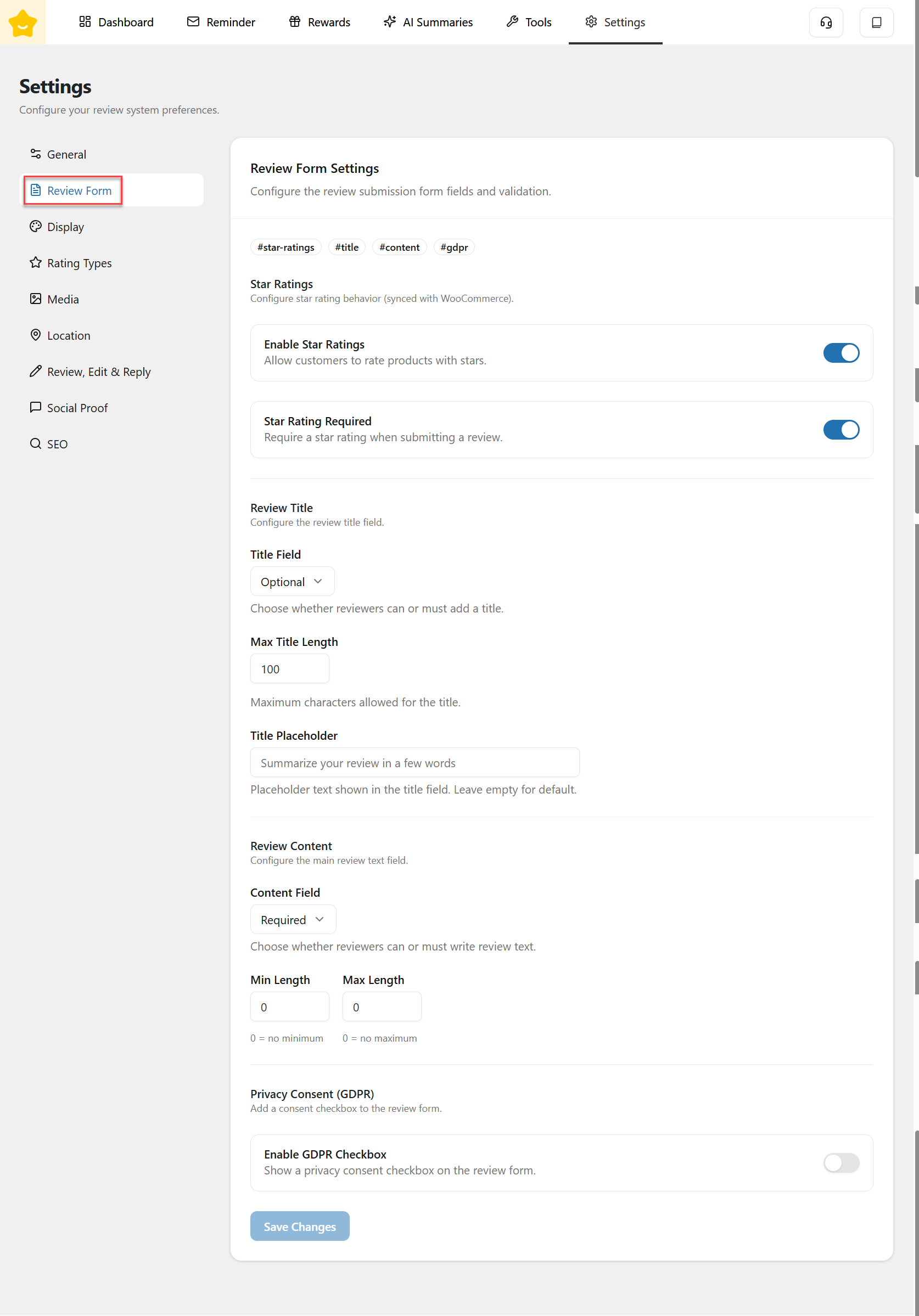
The **Review Form** tab lets you customize review submission fields and validation rules.
#### Star Ratings
Configure star rating behavior (synced with WooCommerce):
* **Enable Star Ratings:** Allow customers to rate products using star ratings.
* **Star Rating Required:** Require customers to select a star rating before submitting a review.
#### Review Title
Configure the review title field:
* **Title Field:** You can choose **Disable**, **Optional**, or **Required**.
* **Max Title Length:** Set the maximum number of characters allowed for the review title.
* **Title Placeholder:** Customize the placeholder text displayed in the title input field.
#### Review Content
Configure the main review text field:
* **Content Field:** You can choose **Disable**, **Optional**, or **Required**.
* **Min Length / Max Length:** Define minimum and maximum character limits (0 means no limit).
{% hint style="info" %}
Note: If you choose **Optional** but set a M**in Length**, a notification message like the one shown below will be displayed.

{% endhint %}
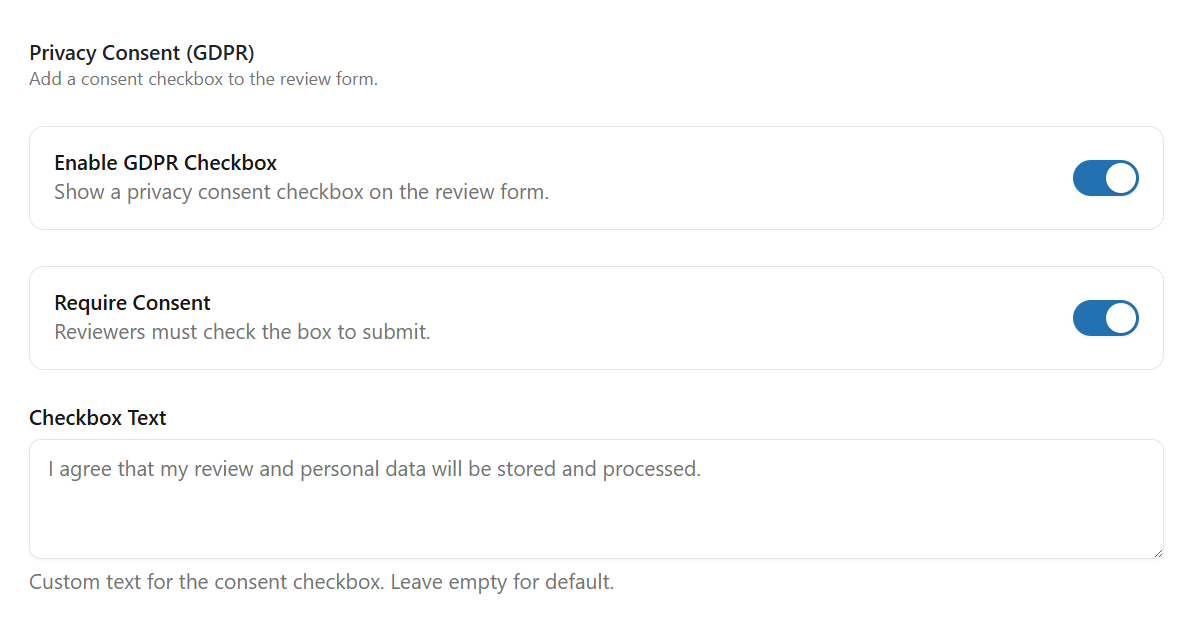
#### Privacy Consent (GDPR)
* **Enable GDPR Checkbox:** Display a privacy consent checkbox on the review form to comply with GDPR requirements.
* **Require Consent:** Require reviewers to check the consent checkbox before submitting a review.
* **Checkbox Text:** Customize the text shown next to the consent checkbox. Leave empty to use the default text.