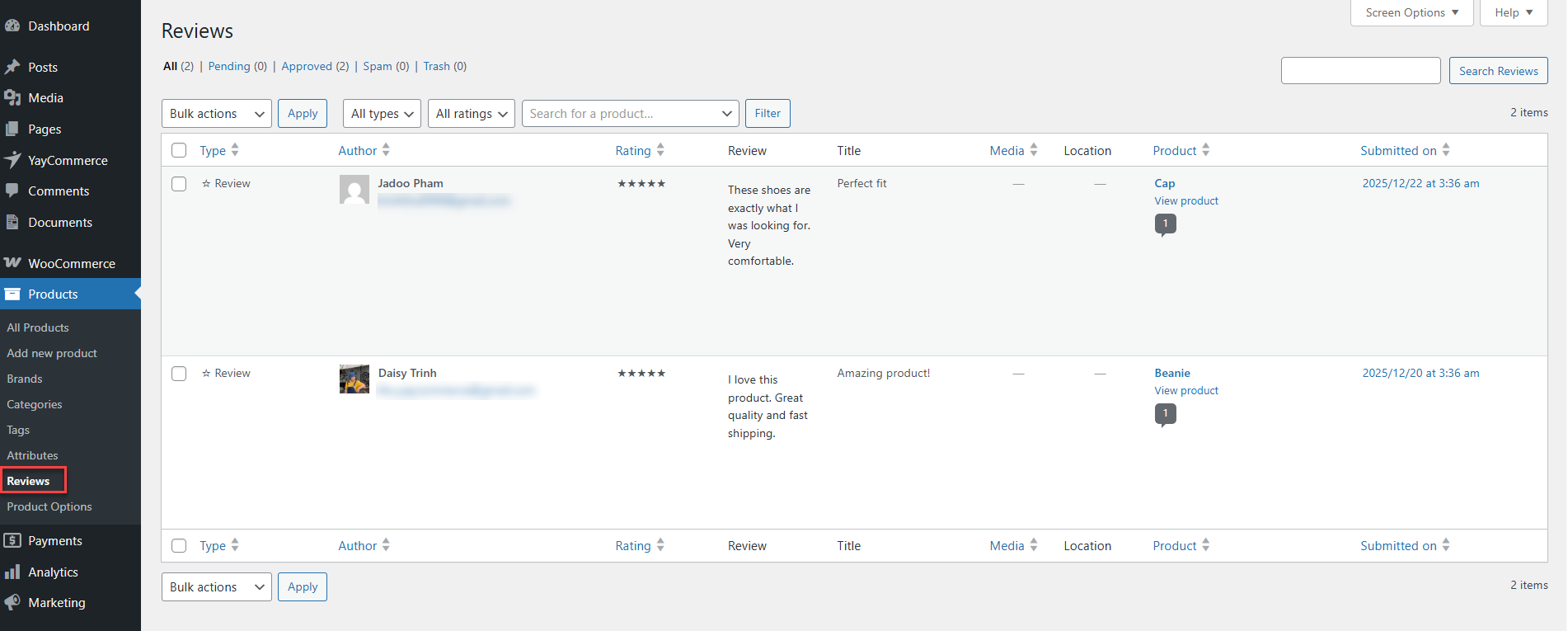
# Tools

<figure><img src="https://2112674995-files.gitbook.io/~/files/v0/b/gitbook-x-prod.appspot.com/o/spaces%2Fr8lIE7jh3IQfBWIJiYxM%2Fuploads%2FJ2PNzpwBpmAjD5oACkIF%2Fimage.png?alt=media&#x26;token=856f9f73-8703-4f47-ac4e-8d375a64a653" alt=""><figcaption></figcaption></figure>

The **Tools** section allows you to import reviews from other platforms into YayReviews and manage your imported review data. This helps you preserve existing customer feedback when migrating from another review solution.

#### Import Workflow

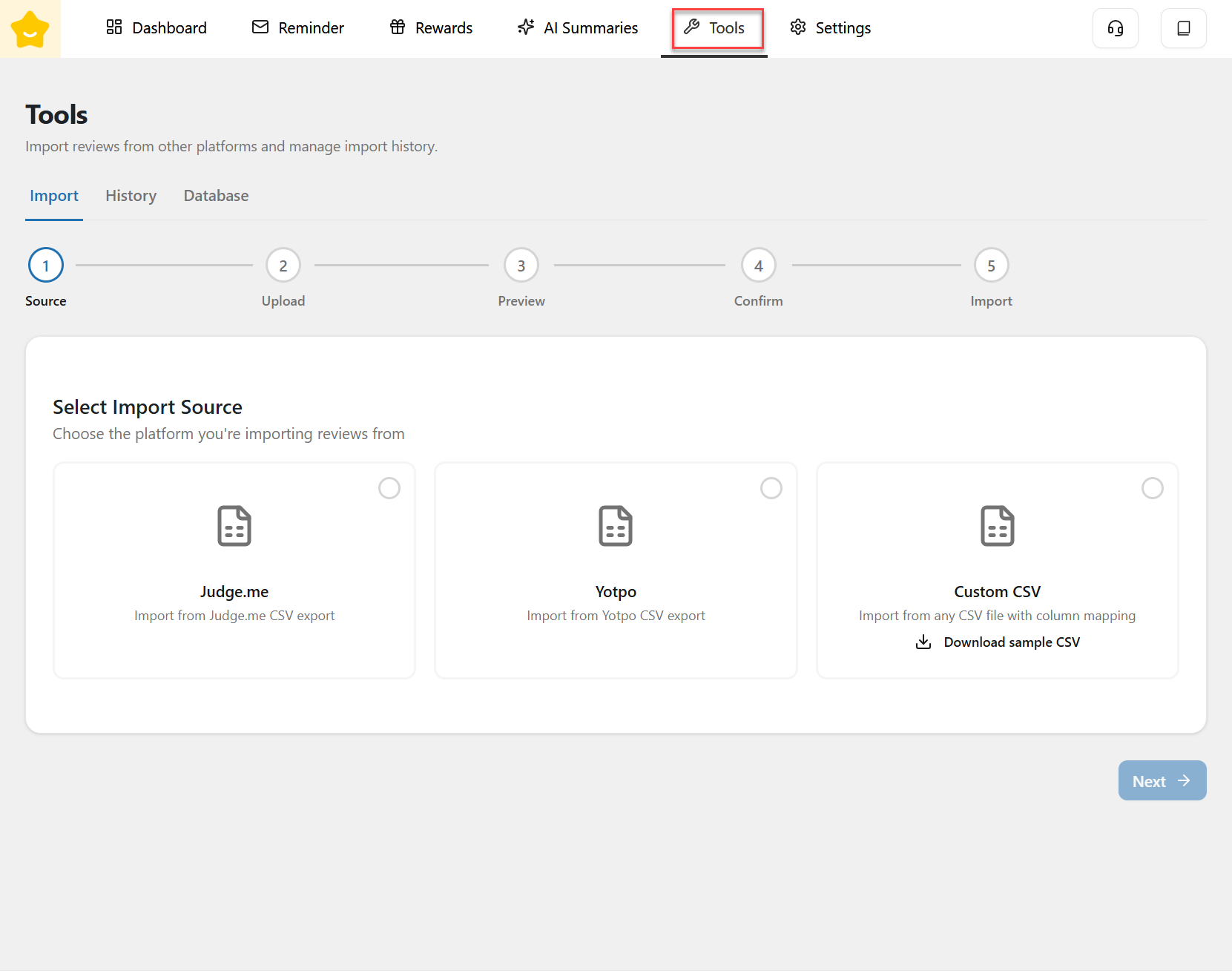
The import process is guided step by step to ensure accuracy and ease of use:

1. **Source:** Select the platform you want to import reviews from. YayReviews currently supports:

   * **Judge.me** (CSV export)
   * **Yotpo** (CSV export)
   * **Custom CSV** (import from any CSV file with column mapping)

   For Custom CSV, you can download a **sample CSV file** to follow the correct format.
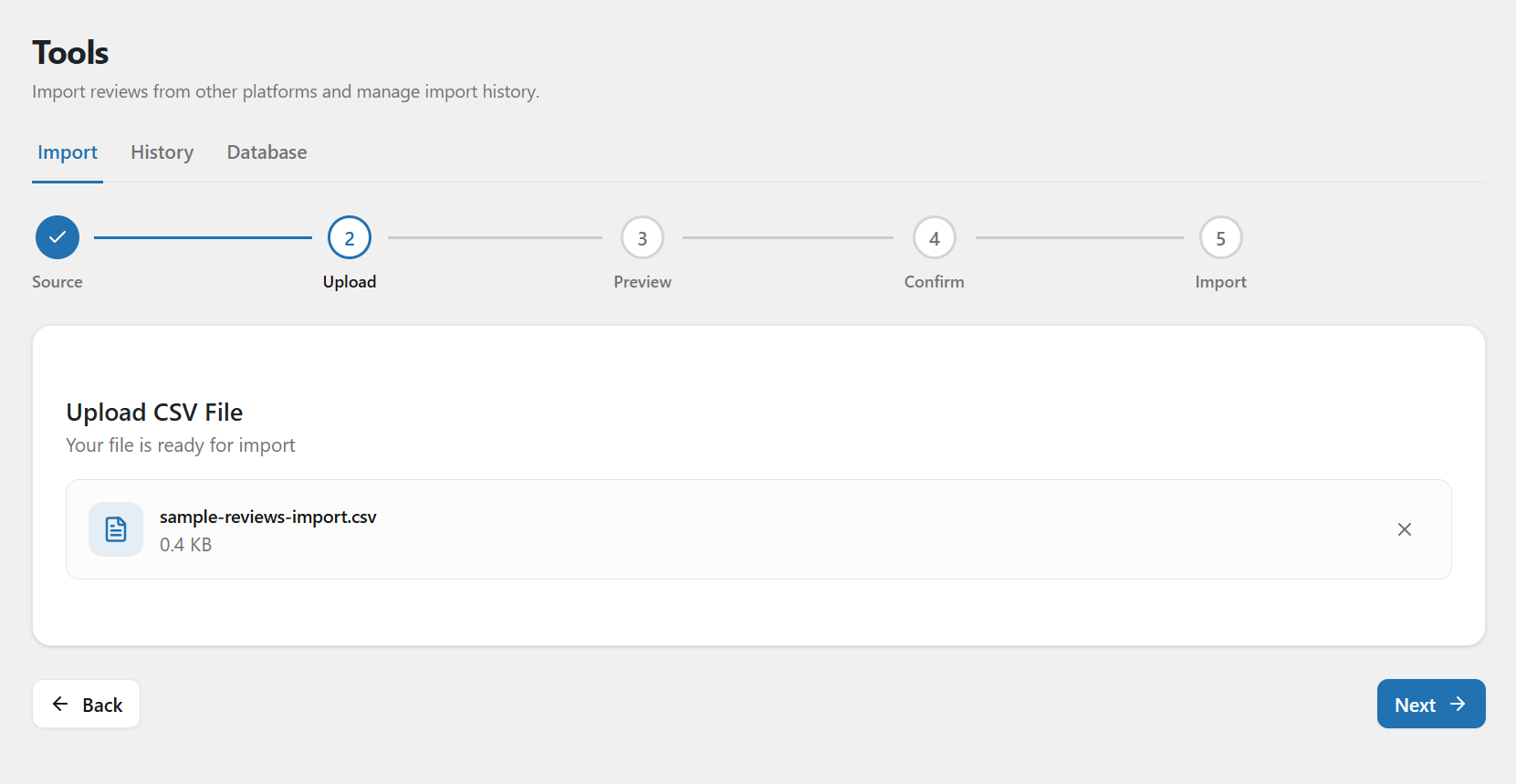
2. **Upload:** Upload the CSV file exported from your selected platform.

<figure><img src="https://2112674995-files.gitbook.io/~/files/v0/b/gitbook-x-prod.appspot.com/o/spaces%2Fr8lIE7jh3IQfBWIJiYxM%2Fuploads%2FEr0A14PnMYmSJKfGzd88%2Fimage.png?alt=media&#x26;token=94abcec0-3d99-4e41-a795-5312de9e9452" alt=""><figcaption></figcaption></figure>

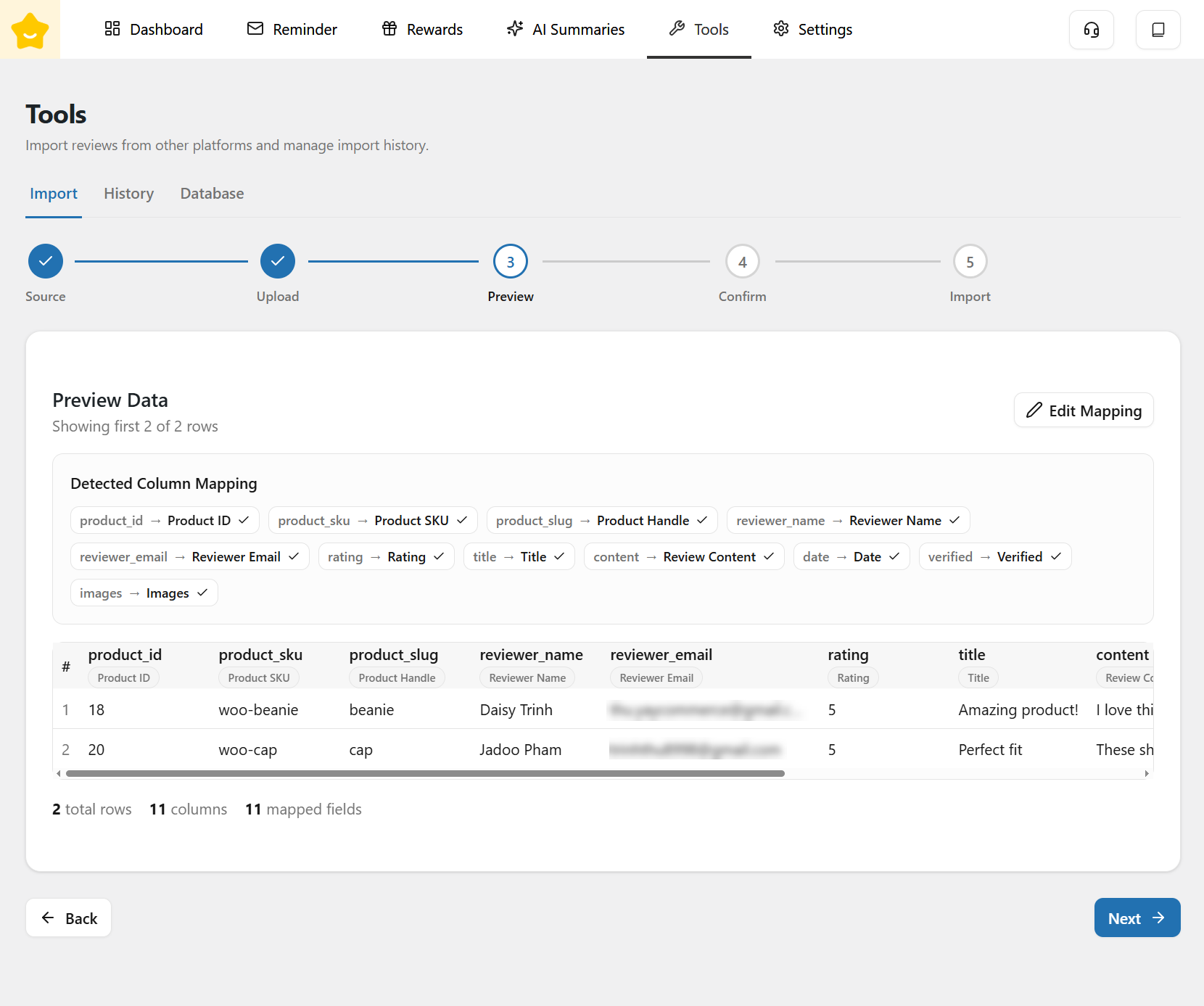
3. **Preview:** Preview the review data before importing to ensure all fields are mapped correctly and data appears as expected.

<figure><img src="https://2112674995-files.gitbook.io/~/files/v0/b/gitbook-x-prod.appspot.com/o/spaces%2Fr8lIE7jh3IQfBWIJiYxM%2Fuploads%2FwLmETyIYVzxapAHKBrsz%2Fimage.png?alt=media&#x26;token=4707094d-36a6-4be7-8526-17f46d53342a" alt=""><figcaption></figcaption></figure>

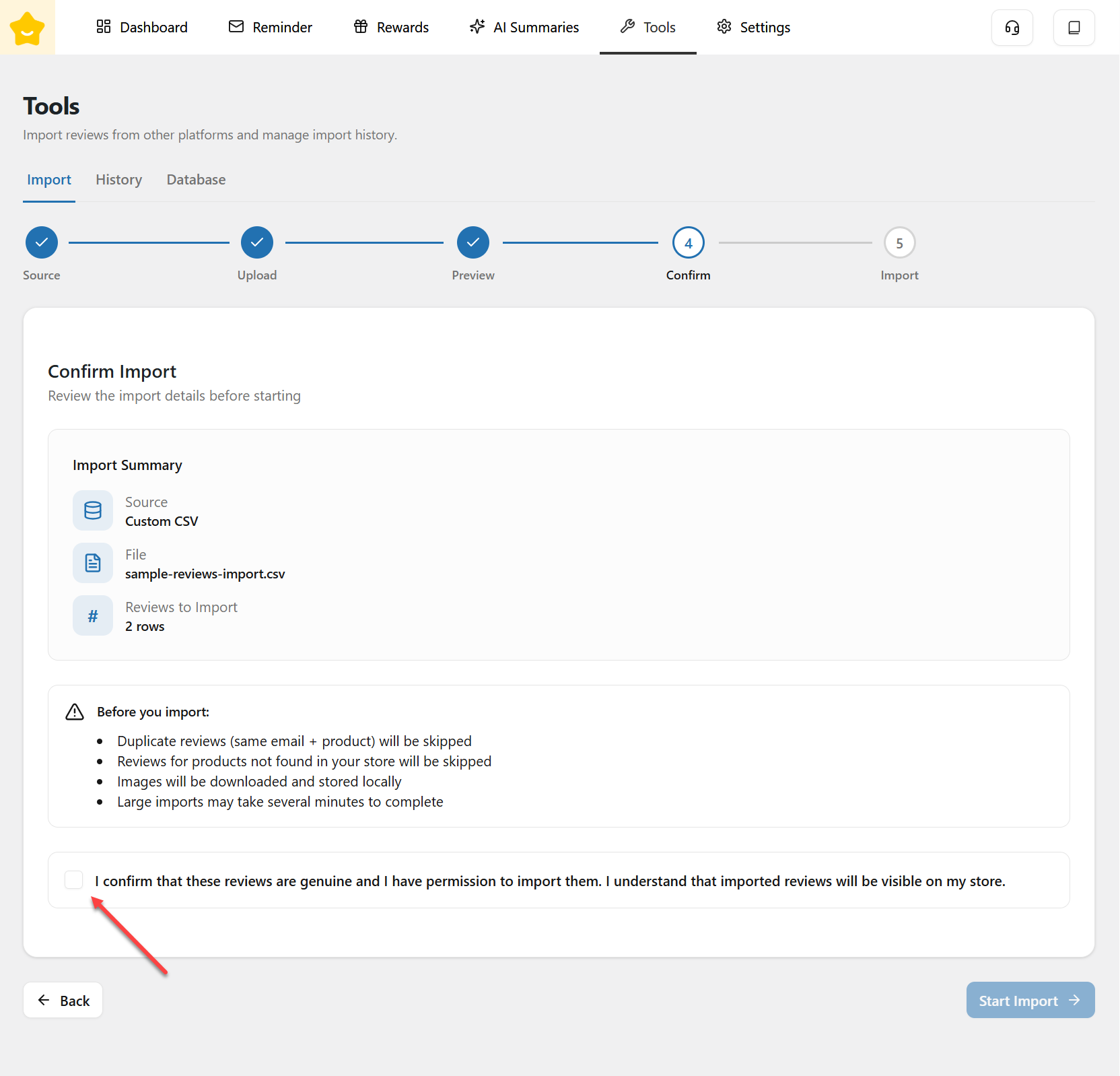
4. **Confirm:** Confirm the import settings and review details before proceeding.

<figure><img src="https://2112674995-files.gitbook.io/~/files/v0/b/gitbook-x-prod.appspot.com/o/spaces%2Fr8lIE7jh3IQfBWIJiYxM%2Fuploads%2FPm5sBoikjUETS9kVUAVK%2Fimage.png?alt=media&#x26;token=b2d7864c-632b-45b2-a228-45bb1f027684" alt=""><figcaption></figcaption></figure>

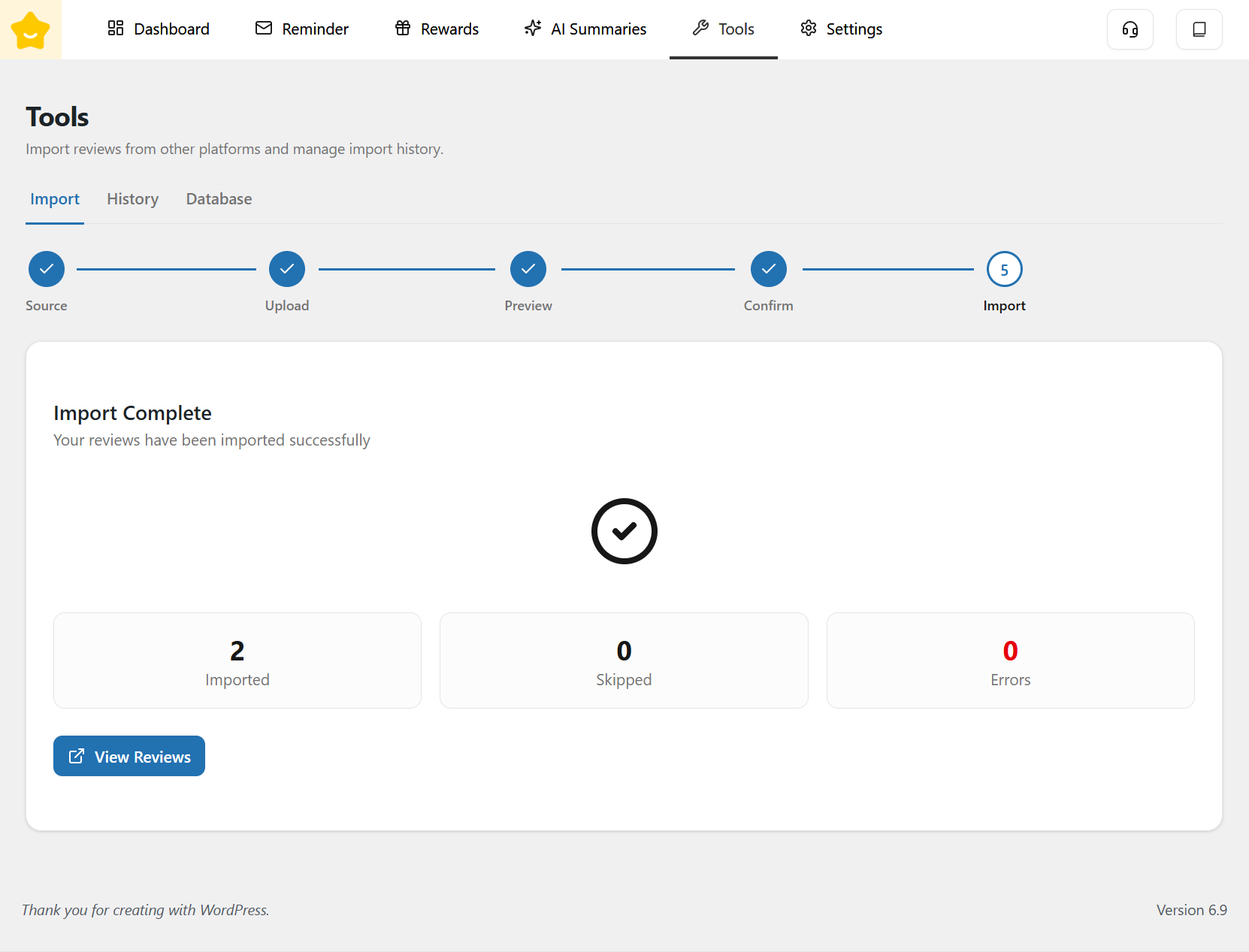
5. **Import:** Start the import process. Reviews will be added to your YayReviews system once the import is completed.

<figure><img src="https://2112674995-files.gitbook.io/~/files/v0/b/gitbook-x-prod.appspot.com/o/spaces%2Fr8lIE7jh3IQfBWIJiYxM%2Fuploads%2Fnuv0h2aYUr24oxx3hhcT%2Fimage.png?alt=media&#x26;token=62bf4e3f-560a-4692-93ec-cc3aecbda2e3" alt=""><figcaption></figcaption></figure>

You can click **View Reviews** to see the reviews that have been imported.
<figure><img src="https://2112674995-files.gitbook.io/~/files/v0/b/gitbook-x-prod.appspot.com/o/spaces%2Fr8lIE7jh3IQfBWIJiYxM%2Fuploads%2FcLVFsiCkUen9naGwSzaH%2Fimage.png?alt=media&#x26;token=f6635ddd-72af-4c05-8023-6fea70323314" alt=""><figcaption></figcaption></figure>