> For the complete documentation index, see [llms.txt](https://docs.yaycommerce.com/yayreviews/llms.txt). Markdown versions of documentation pages are available by appending `.md` to page URLs; this page is available as [Markdown](https://docs.yaycommerce.com/yayreviews/settings/tools.md).
# Tools
The **Tools** section allows you to import reviews from other platforms, review previous import activities, and send review requests to past customers who have not yet received one.
### Import from Previous Platform
The import process is guided step by step to ensure accuracy and ease of use:
1. **Source:** Select the platform you want to import reviews from. YayReviews currently supports:
* **CusRev** (CSV export)
* **Judge.me** (CSV export)
* **Yotpo** (CSV export)
* **Custom CSV** (import from any CSV file with column mapping)
For Custom CSV, you can download a **sample CSV file** to follow the correct format.
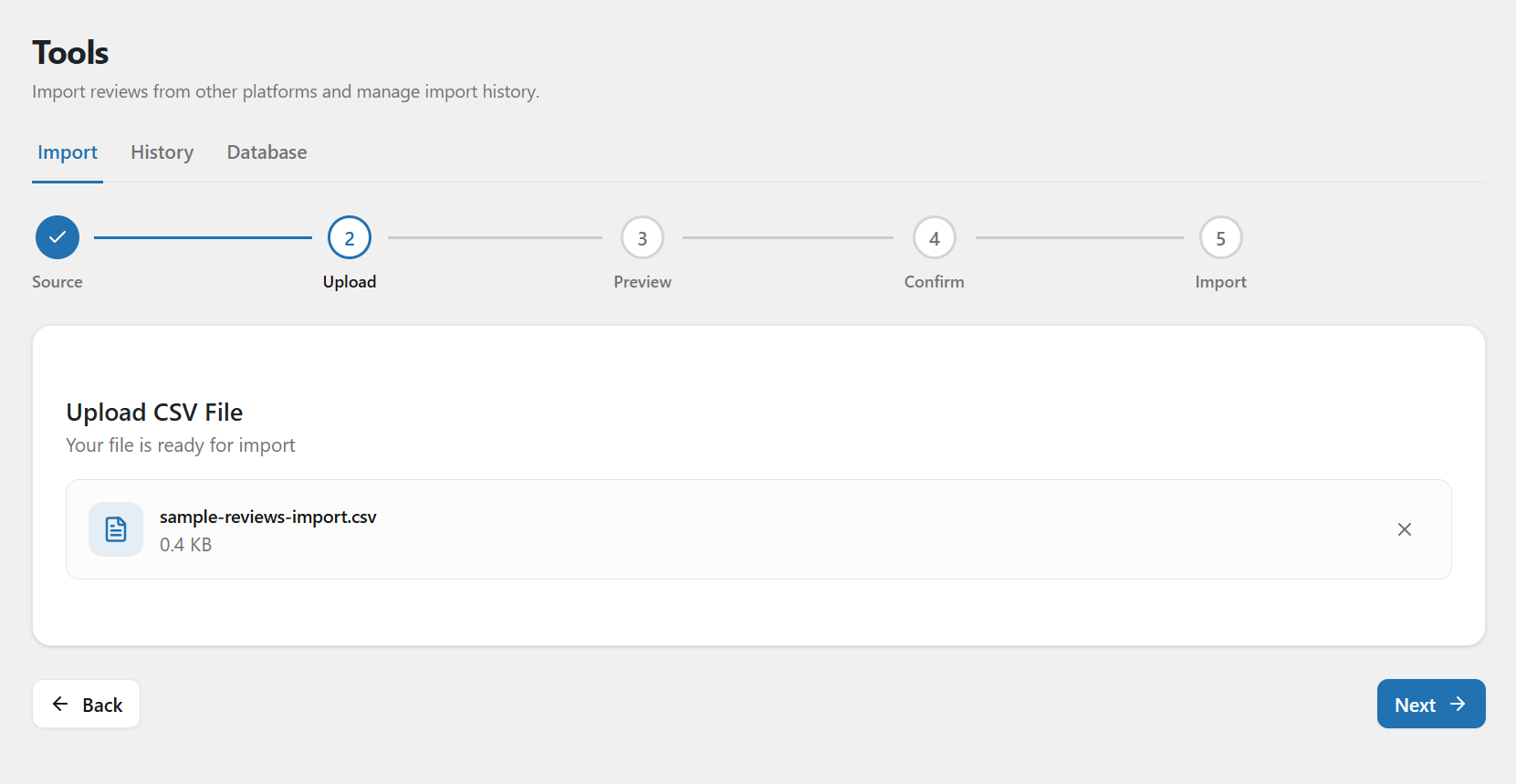
1. **Upload:** Upload the CSV file exported from your selected platform.
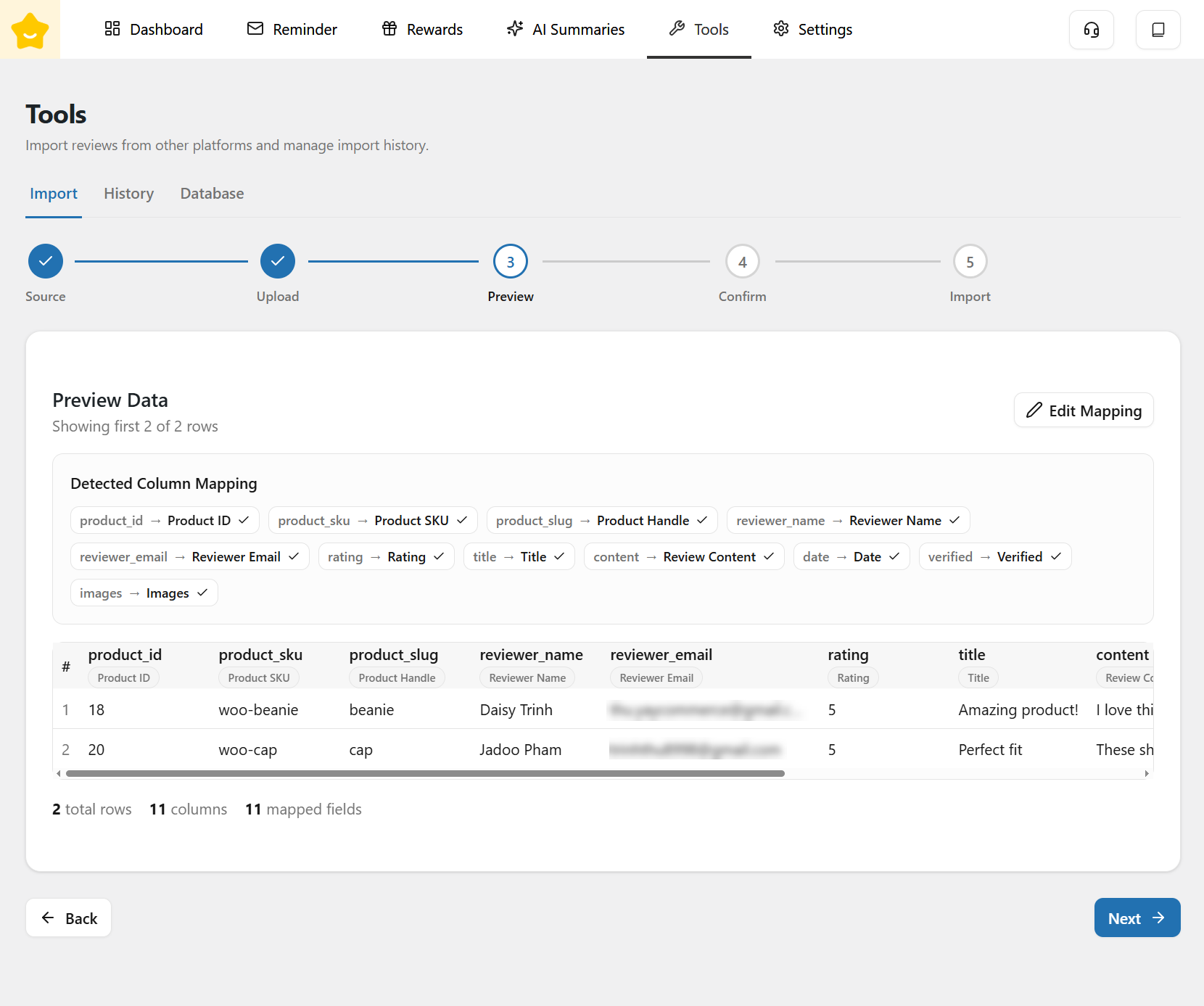
3. **Preview:** Preview the review data before importing to ensure all fields are mapped correctly and data appears as expected.
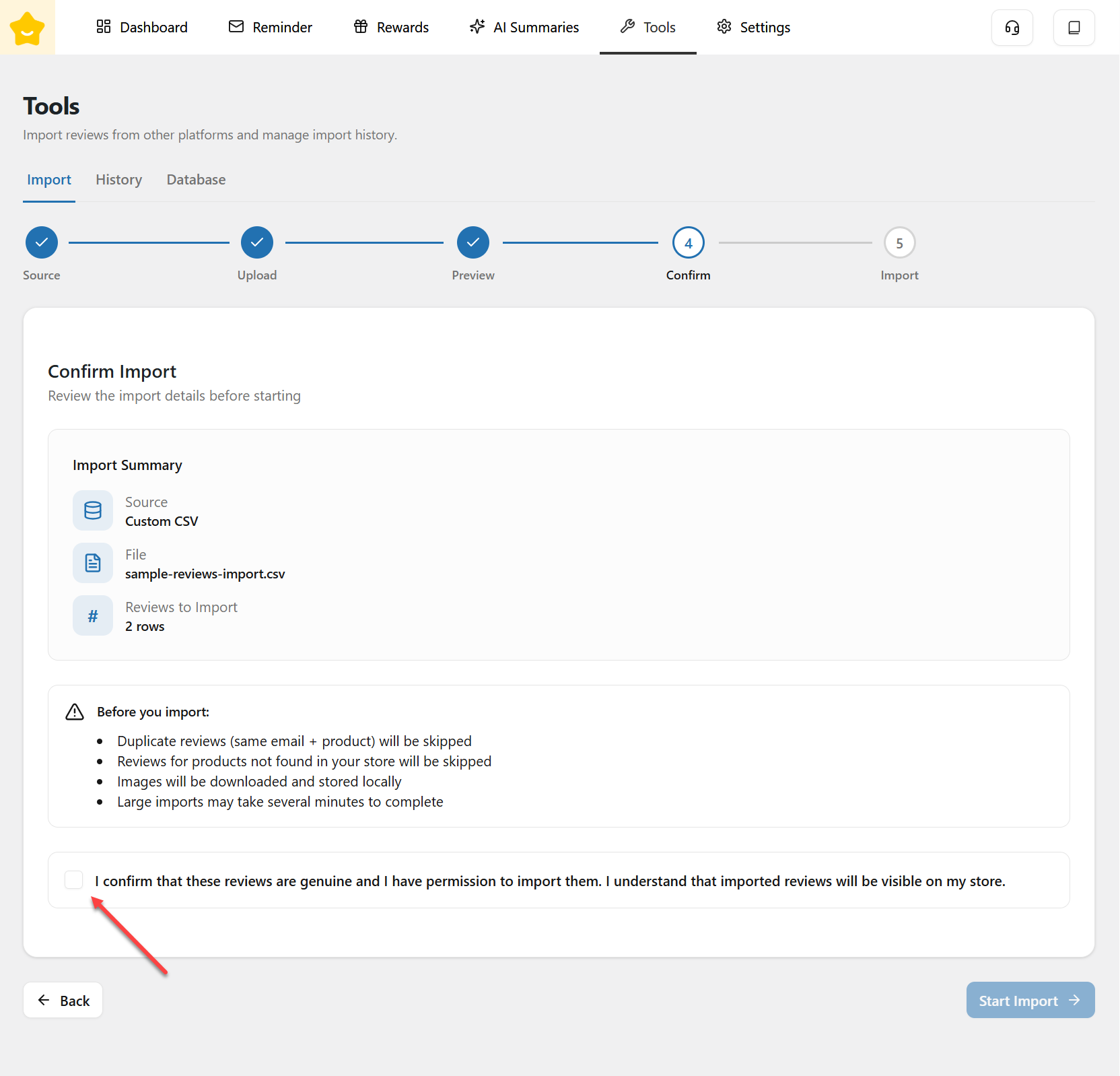
4. **Confirm:** Confirm the import settings and review details before proceeding.
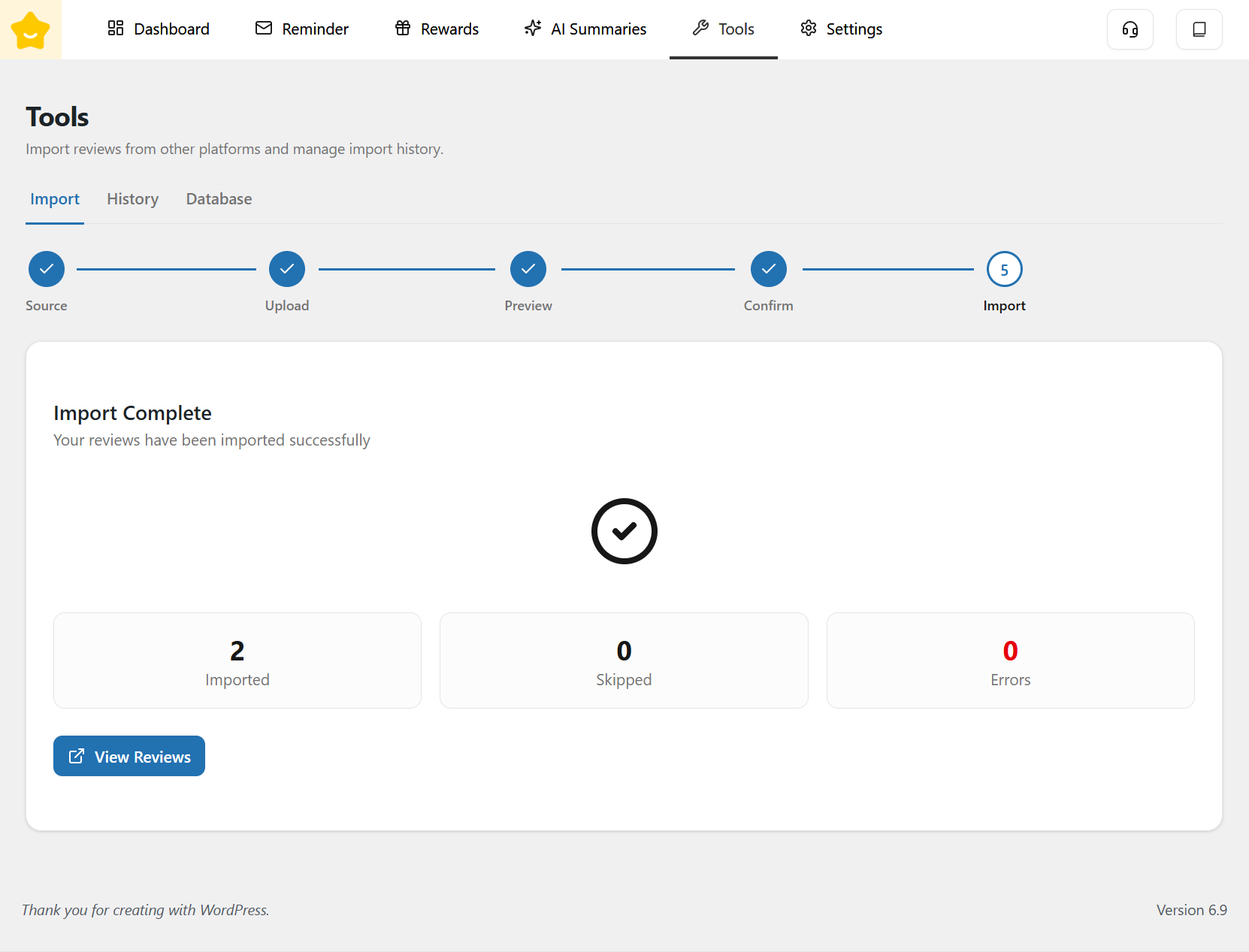
5. **Import:** Start the import process. Reviews will be added to your YayReviews system once the import is completed.
You can click **View Reviews** to see the reviews that have been imported.
### Import History
The **History** tab allows you to review previous import activities.
### Send Requests to Previous Customers
The **Past Customers** tab allows you to send review request emails to customers with completed orders who have never received a review request.
YayReviews groups all eligible products by customer and sends one digest email per customer, instead of sending a separate email for every order or product
#### Send Review Requests to Past Customers
Click **Send Review Requests to Past Customers** to open the customer selection panel.
The panel displays customers who:
* Have at least one completed order.
* Have not previously received a review request.
* Still have one or more products that have not been reviewed.
#### Filter Customers by Date
Use the **From** and **To** fields to filter customers based on the applicable order date range.
This helps you target customers from a specific sales period.
#### Customer List
The customer table displays information such as:
* Customer name and email
* Number of eligible orders
* Number of products awaiting reviews
* Oldest eligible order date
Select individual customers or use **Select all matching this filter** to include every customer returned by the selected date range.
#### Email Content
The email content is pre-filled with the default review request message.
You can customize:
* **Subject**
* **Body**
The following placeholders are available:
* `{customer_name}` – Customer's name
* `{store_name}` – Store name
After selecting the customers and reviewing the email content, click **Start** **Send** to deliver the review requests.
---
# Agent Instructions
This documentation is published with GitBook. GitBook is the documentation platform designed so that both humans and AI agents can read, navigate, and reason over technical content effectively. Learn more at gitbook.com.
## Querying This Documentation
If you need additional information that is not directly available in this page, you can query the documentation by asking a question.
Perform an HTTP GET request on the following URL with the `ask` and `goal` query parameters:
```
GET https://docs.yaycommerce.com/yayreviews/settings/tools.md?ask=&goal=
```
`ask` is the immediate question: it should be specific, self-contained, and written in natural language.
`goal` is what the user is ultimately trying to achieve, the reason they need the answer. Sharing it helps GitBook give you a better, more relevant answer. A goal is most helpful when it describes the outcome the user wants rather than restating the question. For example, with `ask=how do I create an API token`, a goal like `automate deployments from our CI pipeline` lets GitBook tailor the answer to that use case.
The response will contain a direct answer to the question and relevant excerpts and sources from the documentation.
Use this mechanism when the answer is not explicitly present in the current page, you need clarification or additional context, or you want to retrieve related documentation sections.