> For the complete documentation index, see [llms.txt](https://docs.yaycommerce.com/yayreviews/llms.txt). Markdown versions of documentation pages are available by appending `.md` to page URLs; this page is available as [Markdown](https://docs.yaycommerce.com/yayreviews/features/social-proof.md).
# Social Proof
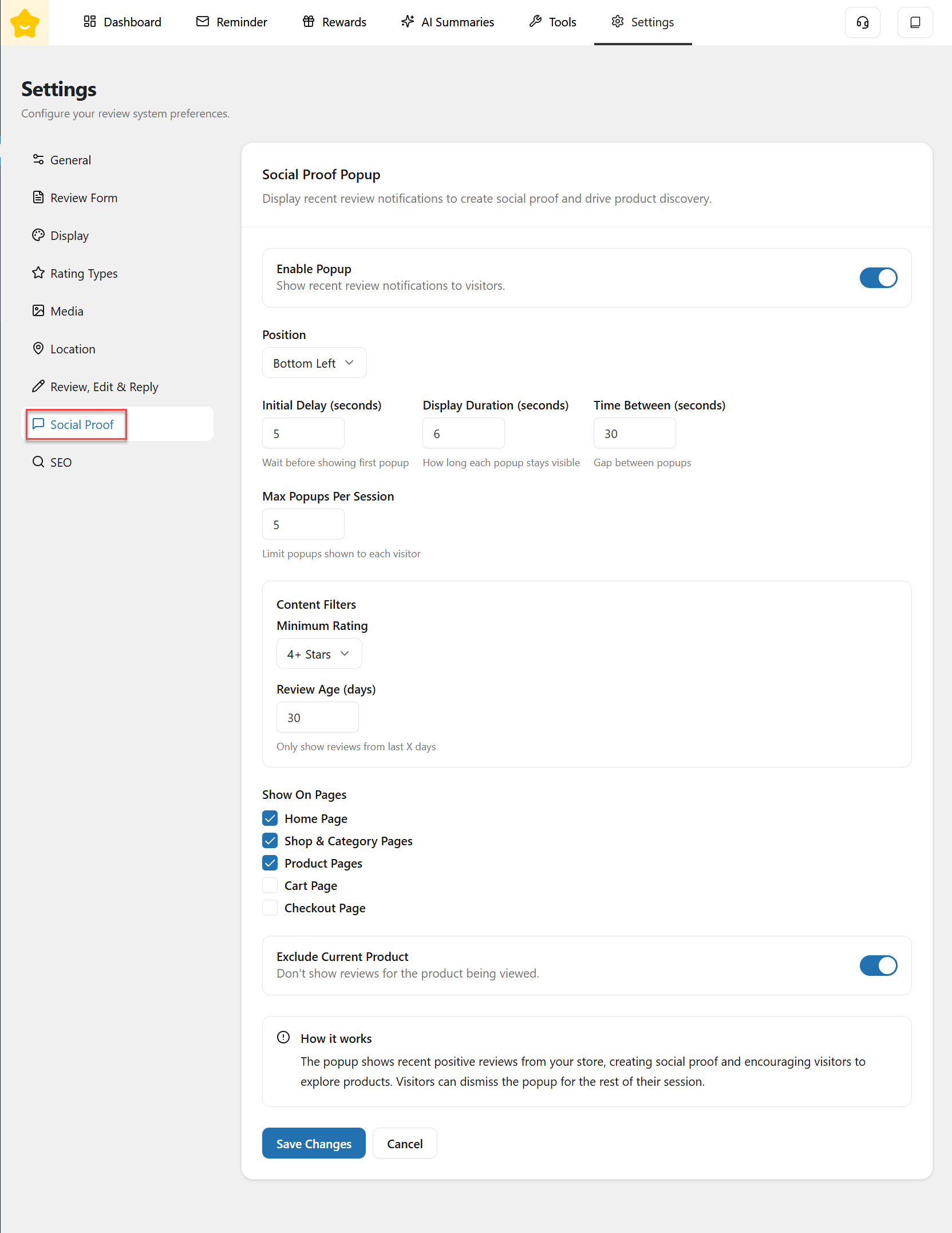
The **Social Proof Popup** feature allows you to display recent positive review notifications on your storefront. This helps build trust, create social proof, and encourage visitors to explore and purchase products.
#### Social Proof Popup
* **Enable Popup:** When enabled, recent review notifications will appear to visitors based on your settings.
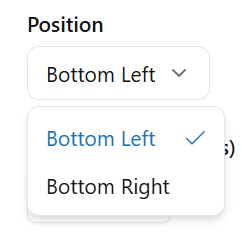
* **Position:** Choose where the popup appears on the screen (e.g. Bottom Left, Bottom Right).
* **Initial Delay (seconds):** Set the time to wait before showing the first popup after a visitor lands on the page.
* **Display Duration (seconds):** Define how long each popup remains visible before disappearing.
* **Time Between (seconds):** Control the gap between consecutive popups.
* **Max Popups Per Session:** Limit the number of popups shown to a single visitor during one session to avoid overloading or annoyance.
#### Content Filters
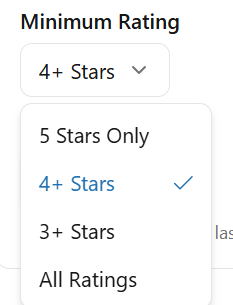
* **Minimum Rating:** Select the minimum star rating required for a review to be shown in the popup.
* **Review Age (days):** Only show reviews submitted within the specified number of days. This helps keep the social proof fresh and relevant.
#### Page Display Rules
* **Show On Pages:** Choose which pages the popup will appear on:
* Home Page
* Shop & Category Pages
* Product Pages
* Cart Page
* Checkout Page
* **Exclude Current Product:** When enabled, the popup will not show reviews for the product currently being viewed. This helps avoid redundancy and keeps the focus on discovery.
{% hint style="info" %}
When hovering over Social Proof, it will pause so you can view it. The review content in the card is limited to 2 lines.
{% endhint %}
---
# Agent Instructions
This documentation is published with GitBook. GitBook is the documentation platform designed so that both humans and AI agents can read, navigate, and reason over technical content effectively. Learn more at gitbook.com.
## Querying This Documentation
If you need additional information that is not directly available in this page, you can query the documentation by asking a question.
Perform an HTTP GET request on the following URL with the `ask` and `goal` query parameters:
```
GET https://docs.yaycommerce.com/yayreviews/features/social-proof.md?ask=&goal=
```
`ask` is the immediate question: it should be specific, self-contained, and written in natural language.
`goal` is what the user is ultimately trying to achieve, the reason they need the answer. Sharing it helps GitBook give you a better, more relevant answer. A goal is most helpful when it describes the outcome the user wants rather than restating the question. For example, with `ask=how do I create an API token`, a goal like `automate deployments from our CI pipeline` lets GitBook tailor the answer to that use case.
The response will contain a direct answer to the question and relevant excerpts and sources from the documentation.
Use this mechanism when the answer is not explicitly present in the current page, you need clarification or additional context, or you want to retrieve related documentation sections.