# Reward
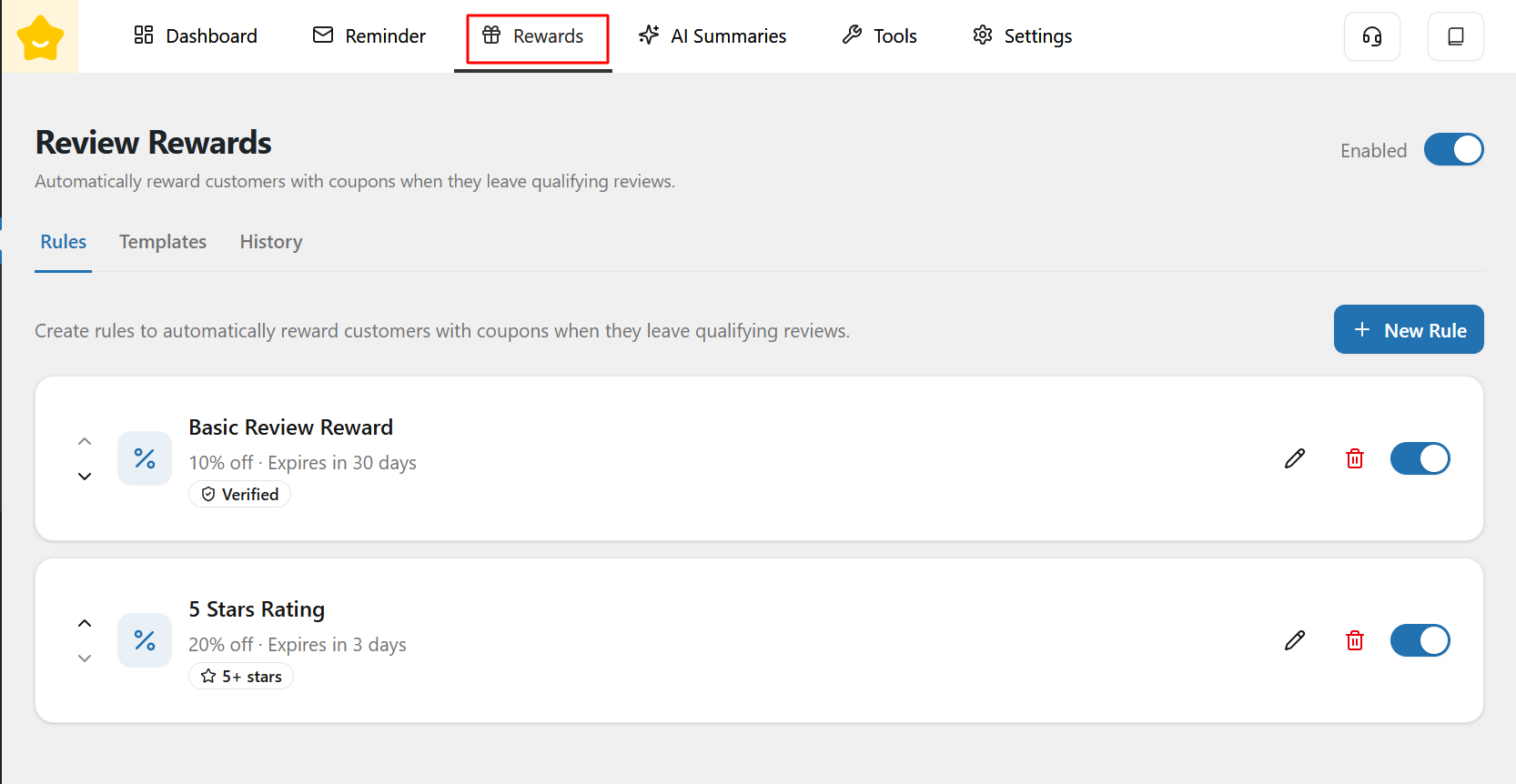
The **Review Rewards** feature allows store owners to automatically reward customers with coupons when they leave qualifying product reviews. This helps increase review rates and encourages higher-quality feedback.
#### Enable / Disable Reward
At the top of the page, you can enable or disable the entire reward system using the **Enabled** toggle. When disabled, no review reward emails will be sent.
#### Rules
The **Rules** tab is where you configure conditions for rewarding customer reviews.
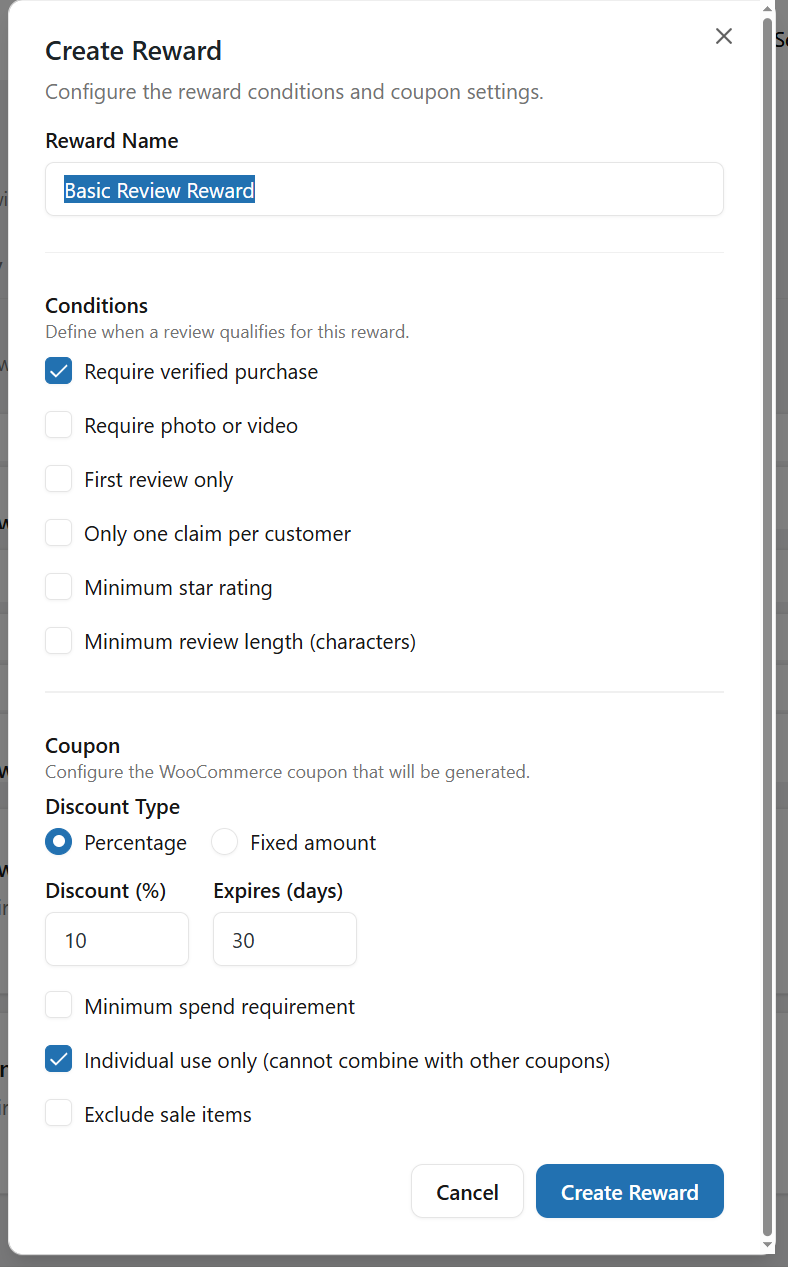
* **Reward Rules:** Each rule defines the **review conditions** that must be met and the **coupon reward** that will be issued to the customer
* **New Rule:** Click **New Rule** to create a new reward rule.
* **Rules Actions**
For each rule, you can:
* Enable or disable the rule
* Edit the rule settings
* Delete the rule if it is no longer needed
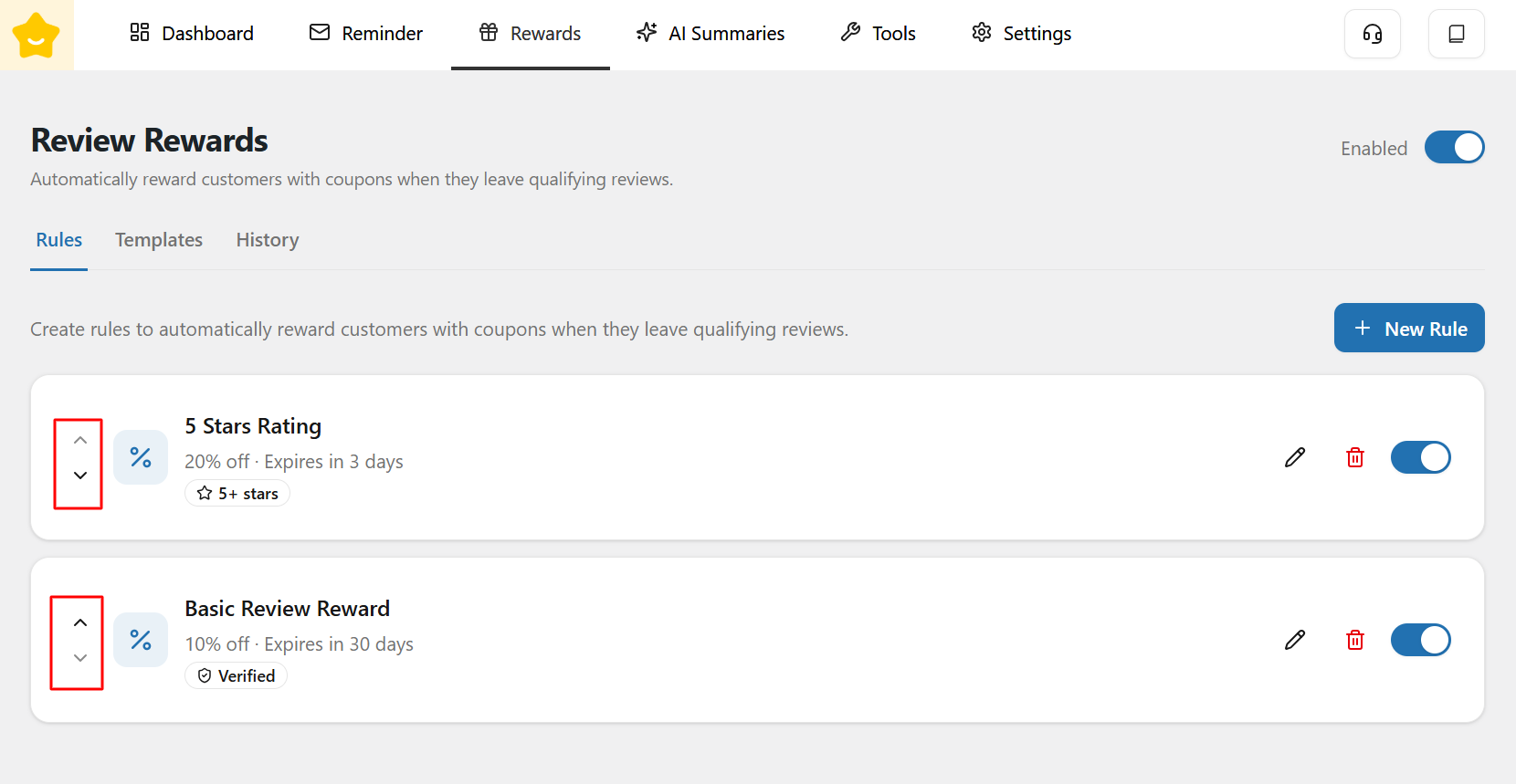
You can also change the priority order of the rules by clicking the up and down arrows to reorder them.
### Templates
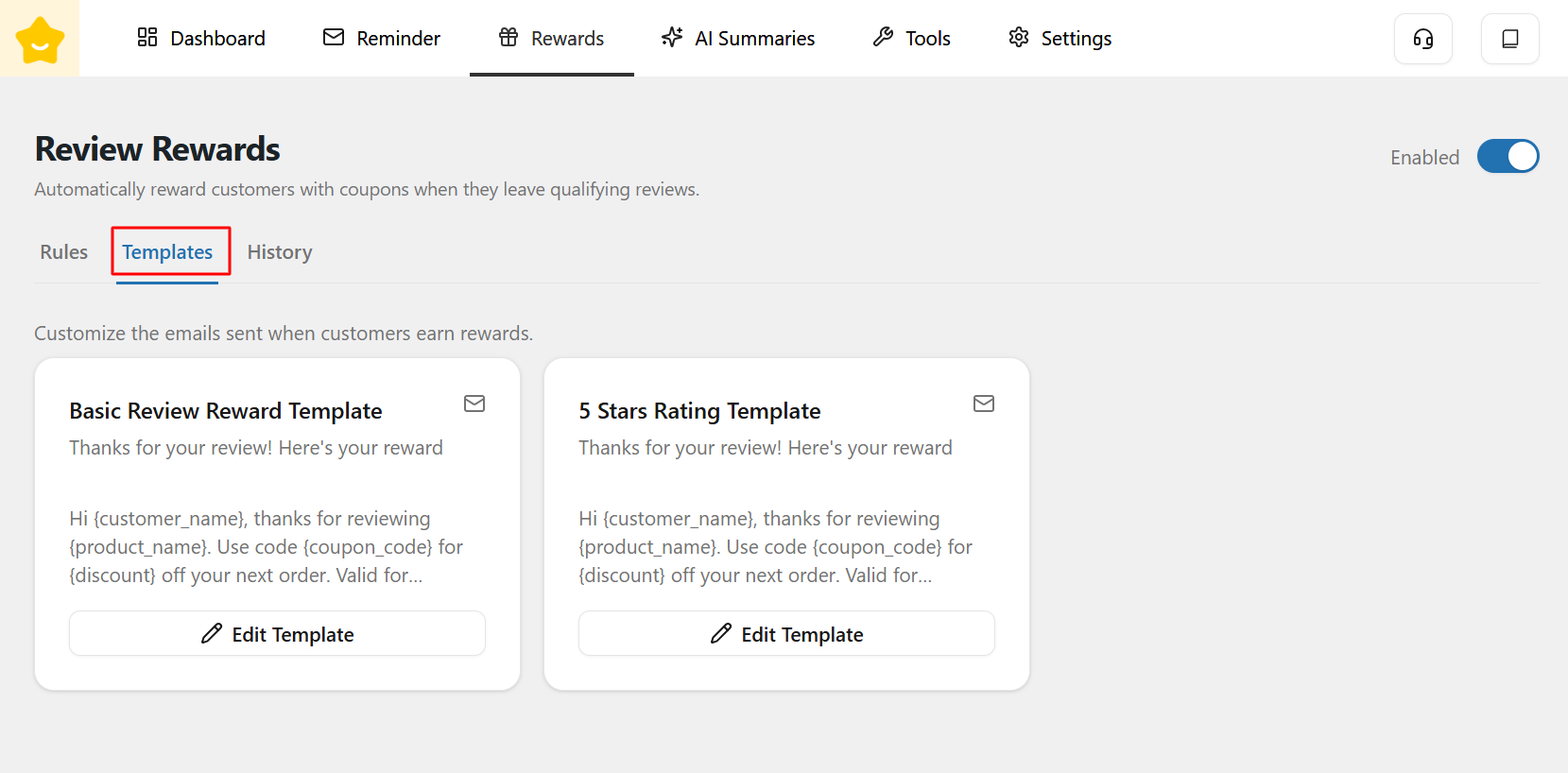
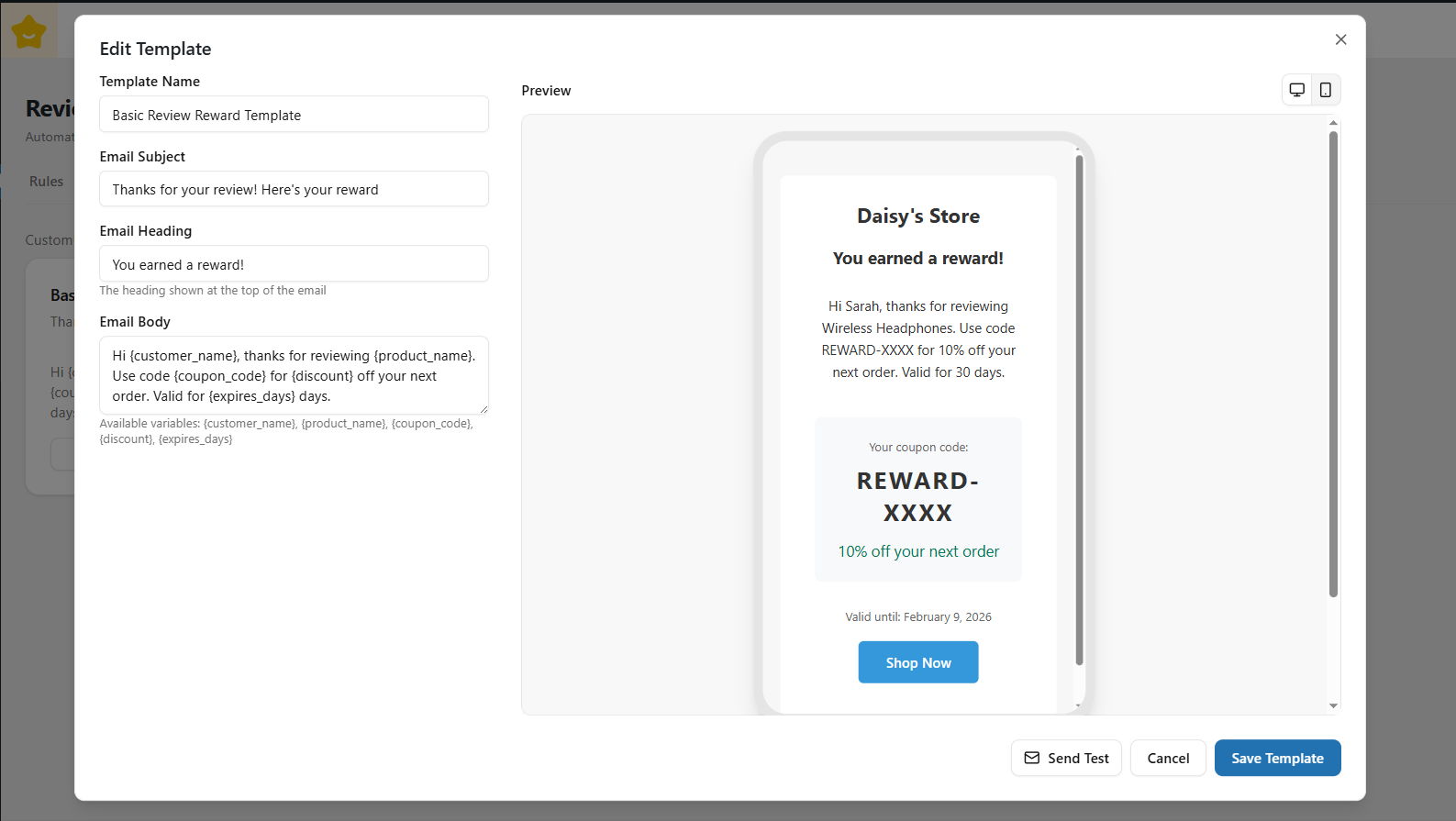
The **Templates** tab allows you to manage coupon templates used for Review Rewards.
Each reward rule is linked to a template that defines how the coupon is generated.
You can edit the following fields:
* **Template Name**
* **Email Subject**
* **Email Heading**
* **Email Body**
Additionally, you can use dynamic shortcodes to personalize emails, such as:
* `{customer_name}`
* `{product_name}`
* `{coupon_code}`
* `{discount}`
* `{expires_days}`
You can also preview each email template in **desktop and mobile views** to ensure it displays correctly across different devices.
### History
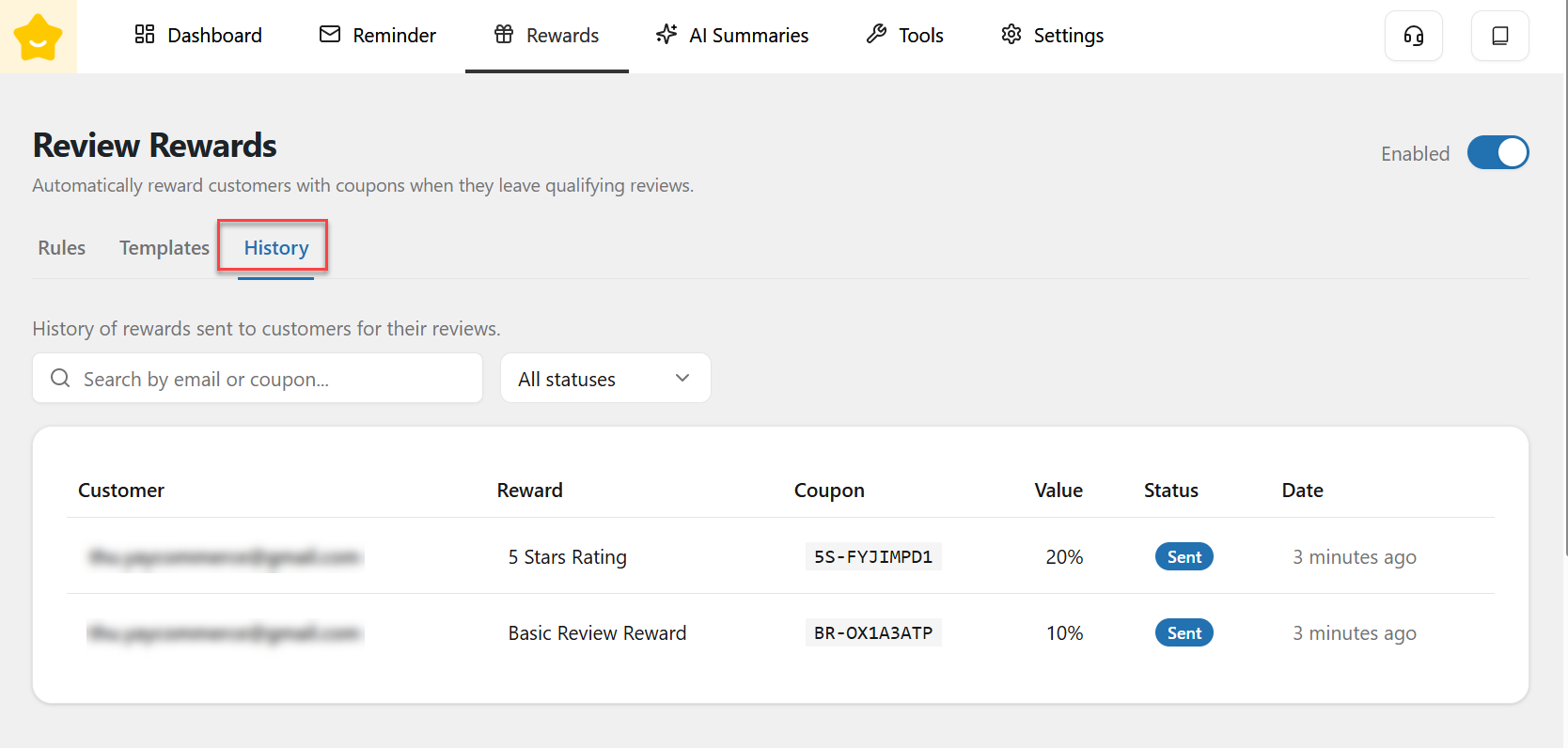
The **History** tab displays a record of all rewards that have been issued.
Here, you can view all reward emails that have been sent to customers, search by Email or Coupon, and filter them by status.