> For the complete documentation index, see [llms.txt](https://docs.yaycommerce.com/yayreviews/llms.txt). Markdown versions of documentation pages are available by appending `.md` to page URLs; this page is available as [Markdown](https://docs.yaycommerce.com/yayreviews/features/review-form/ai-summaries.md).
# AI Summaries
The **AI Summaries** section allows you to generate and manage AI-powered review summaries for your products. These summaries help customers quickly understand overall feedback and key highlights from reviews.
#### (1) Products
The **Products** tab allows you to generate and manage AI summaries for individual products.
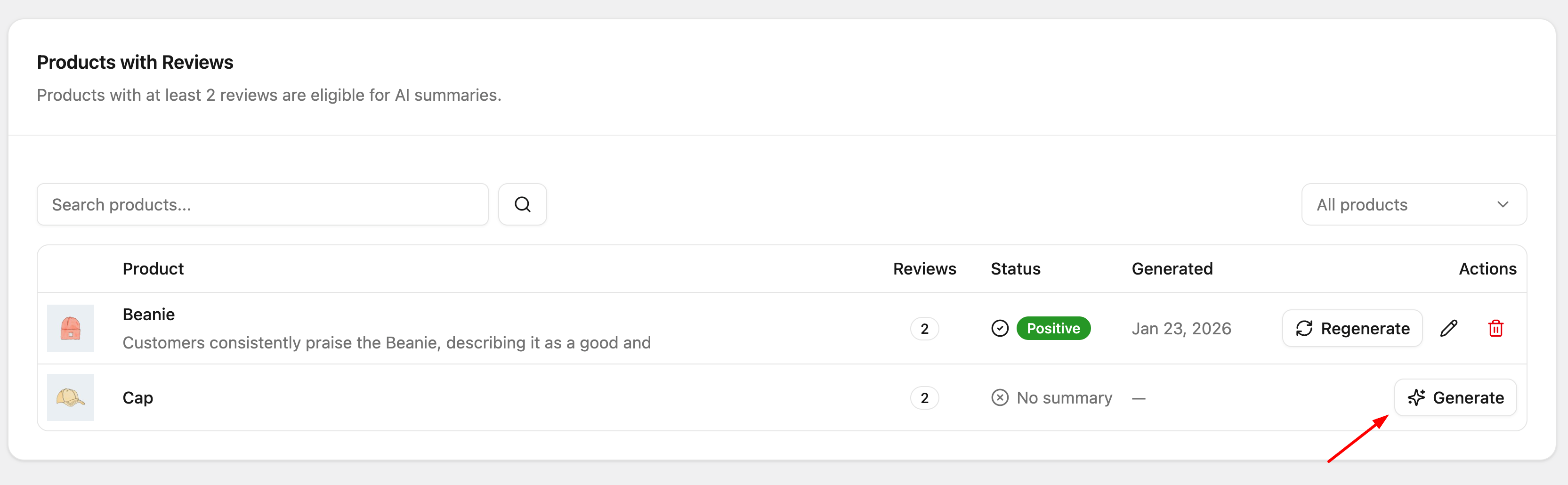
This section shows the **Daily Usage** and displays products that are eligible for generating AI summaries based on the settings in the **Settings** tab. To generate a summary, simply click the **Generate** button.
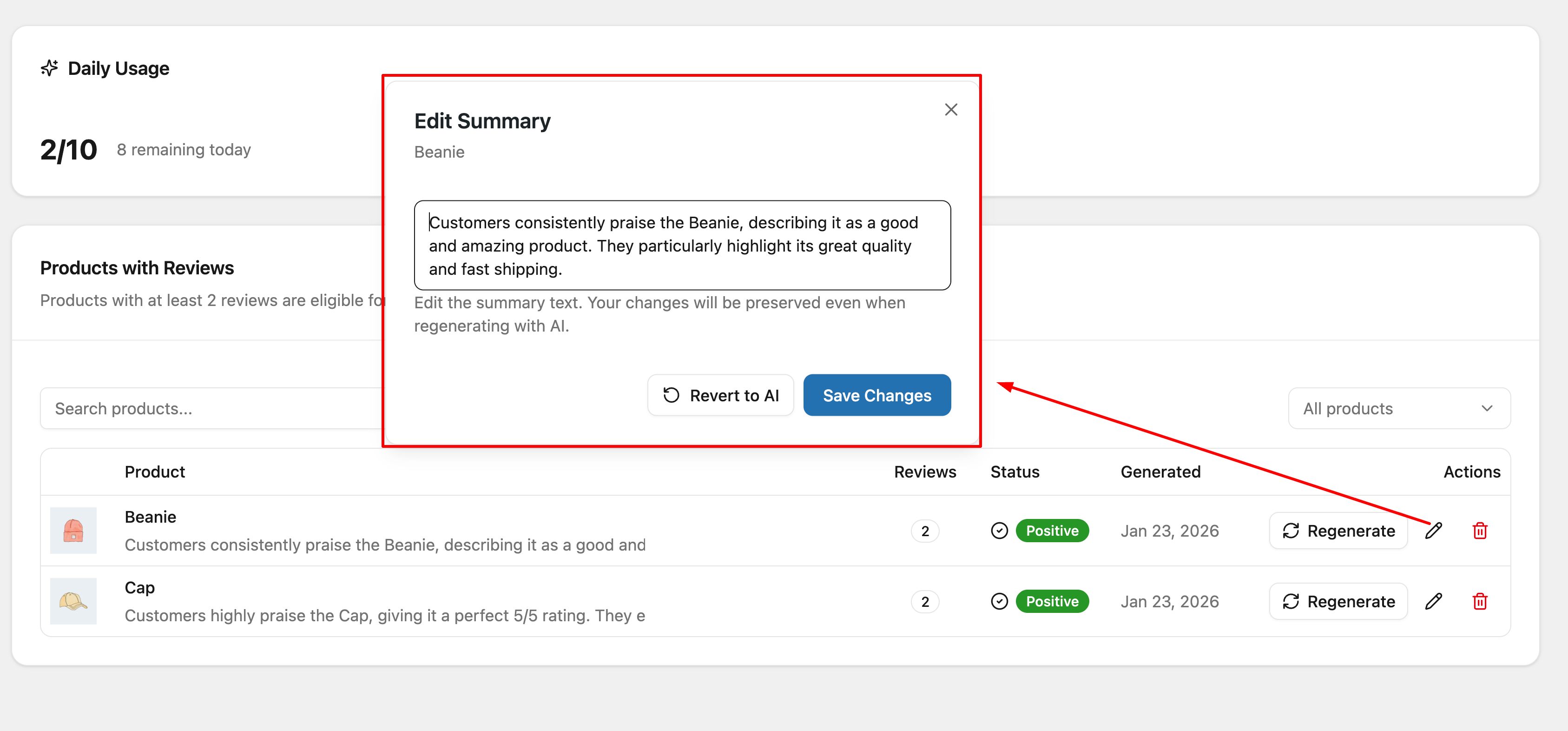
Additionally, you can edit the single product summary by clicking the edit icon, then modifying the text you want to display and saving your changes. You can also click the delete icon to remove the AI summary record for that product.
#### (2) Settings
The **Settings** tab allows you to configure how and when AI summaries are generated.
**(2.1) AI Review Summaries:** When enabled, AI will analyze reviews and generate summaries for eligible products.
**(2.) Generation Triggers**
Configure when summaries should be generated or regenerated.
* **Minimum Reviews Required:** Set the minimum number of reviews a product must have before generating a summary.
* **Regenerate After New Reviews:** Regenerate the summary after a specified number of new reviews are added.
* **Regenerate After Days:** Automatically regenerate summaries after a certain number of days.
* **Manual Only:** Only generate summaries manually from the Products tab.
(**2.3) API Configuration**
Configure the AI provider used for generating summaries.
* **Use YayReviews API (Recommended):** Uses the shared API quota with no setup required.
* **Test Proxy Connection:** Verify the API connection.
* **Daily Usage:** Displays the daily AI generation quota and remaining usage. Quota resets at midnight UTC.
**(2.4) Content Filters**
Control which reviews are included in AI summaries.
* **Verified Purchases Only:** Include only reviews from verified customers.
* **Review Age Limit:** Include reviews from a specific time period.
* **Minimum Star Rating:** Exclude reviews below a selected star rating.
* **Hide Negative Summaries:** When enabled, AI summaries with a nagative sentiment wil not be shown.
---
# Agent Instructions
This documentation is published with GitBook. GitBook is the documentation platform designed so that both humans and AI agents can read, navigate, and reason over technical content effectively. Learn more at gitbook.com.
## Querying This Documentation
If you need additional information that is not directly available in this page, you can query the documentation by asking a question.
Perform an HTTP GET request on the following URL with the `ask` and `goal` query parameters:
```
GET https://docs.yaycommerce.com/yayreviews/features/review-form/ai-summaries.md?ask=&goal=
```
`ask` is the immediate question: it should be specific, self-contained, and written in natural language.
`goal` is what the user is ultimately trying to achieve, the reason they need the answer. Sharing it helps GitBook give you a better, more relevant answer. A goal is most helpful when it describes the outcome the user wants rather than restating the question. For example, with `ask=how do I create an API token`, a goal like `automate deployments from our CI pipeline` lets GitBook tailor the answer to that use case.
The response will contain a direct answer to the question and relevant excerpts and sources from the documentation.
Use this mechanism when the answer is not explicitly present in the current page, you need clarification or additional context, or you want to retrieve related documentation sections.