> For the complete documentation index, see [llms.txt](https://docs.yaycommerce.com/yayreviews/llms.txt). Markdown versions of documentation pages are available by appending `.md` to page URLs; this page is available as [Markdown](https://docs.yaycommerce.com/yayreviews/features/rewards.md).
# Rewards
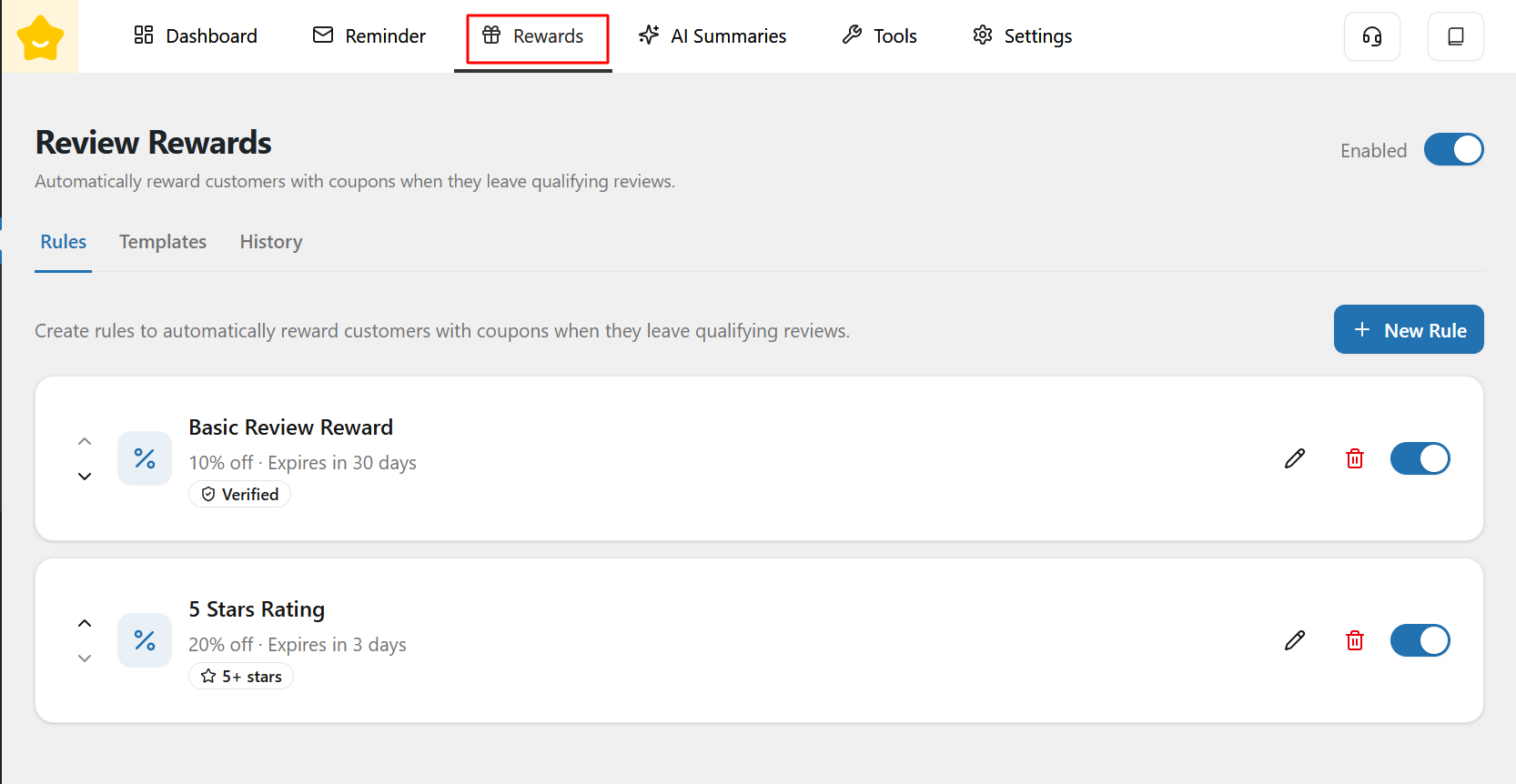
The **Review Rewards** feature allows store owners to automatically reward customers with coupons when they leave qualifying product reviews. This helps increase review rates and encourages higher-quality feedback.
### Conditional Rewards
At the top of the page, you can enable or disable the entire reward system using the **Enabled** toggle. When disabled, no review reward emails will be sent.
#### Trigger Rules
The **Rules** tab is where you configure conditions for rewarding customer reviews.
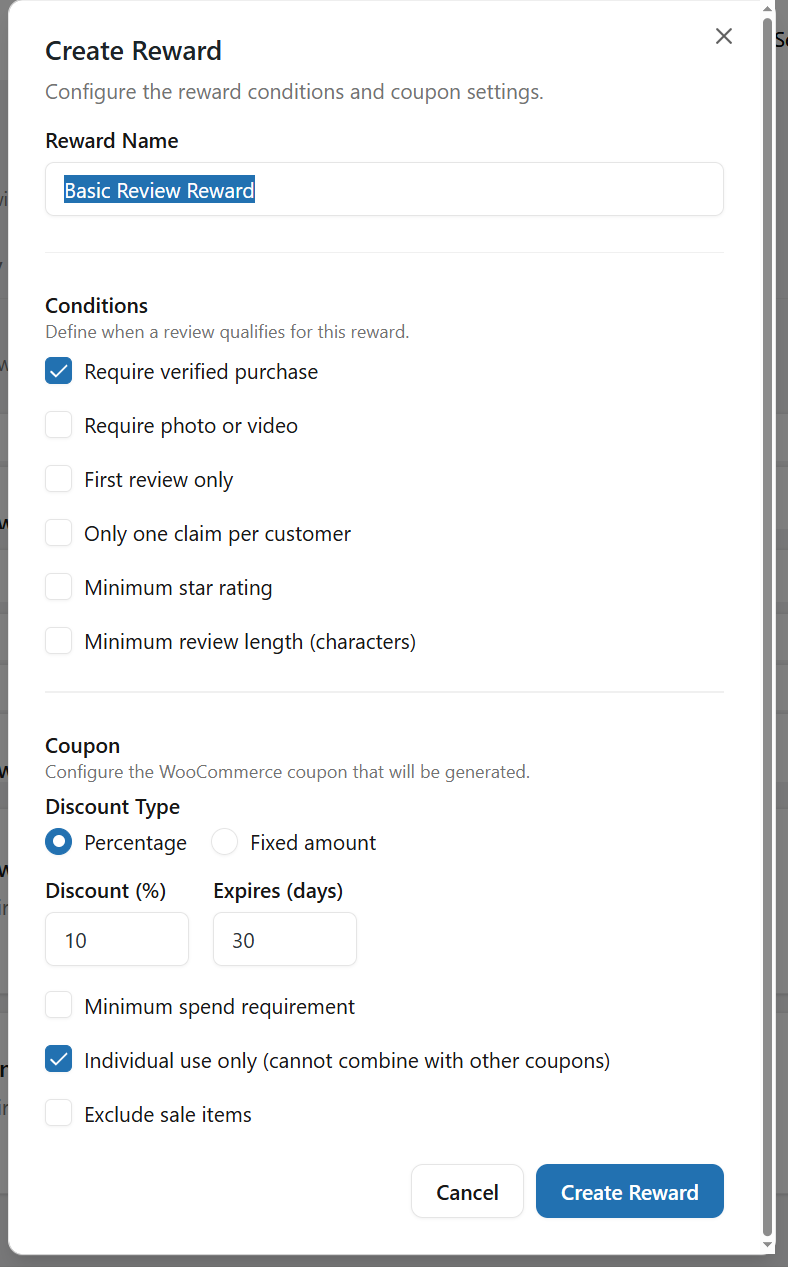
* **Reward Rules:** Each rule defines the **review conditions** that must be met and the **coupon reward** that will be issued to the customer
* **New Rule:** Click **New Rule** to create a new reward rule.
#### Rules Actions
For each rule, you can:
* Enable or disable the rule
* Edit the rule settings
* Delete the rule if it is no longer needed
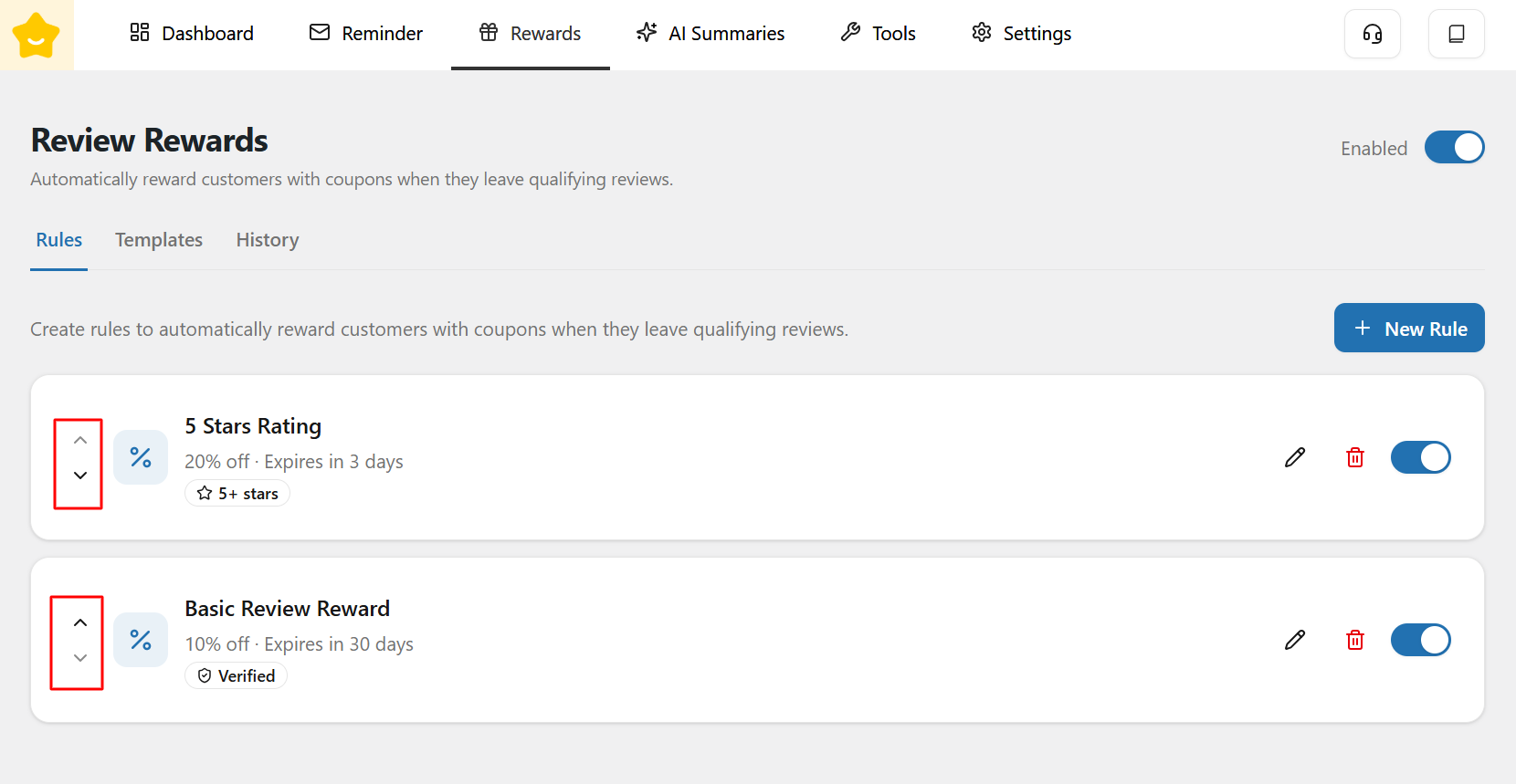
You can also change the priority order of the rules by clicking the up and down arrows to reorder them.
### Reward Email Templates
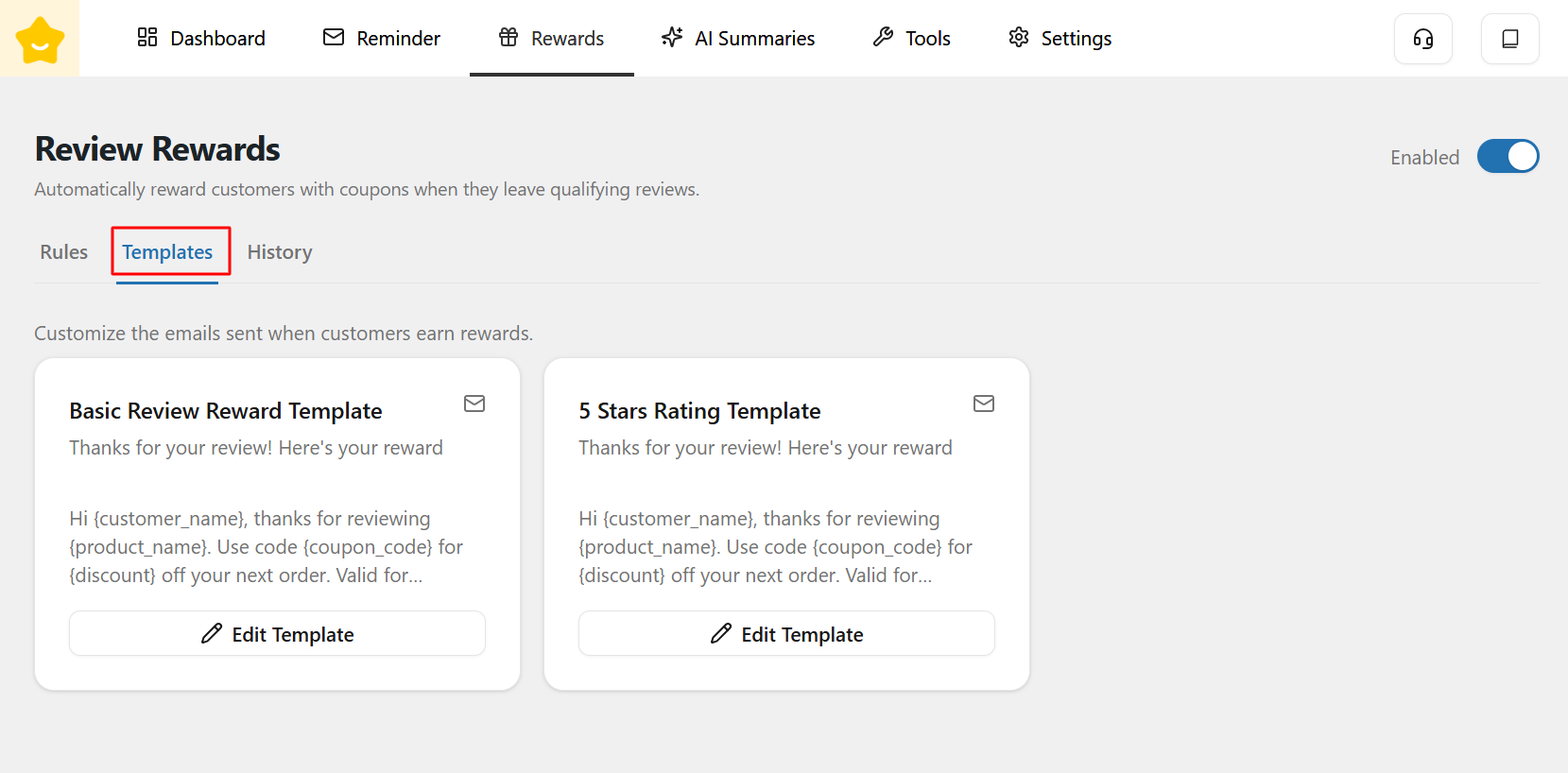
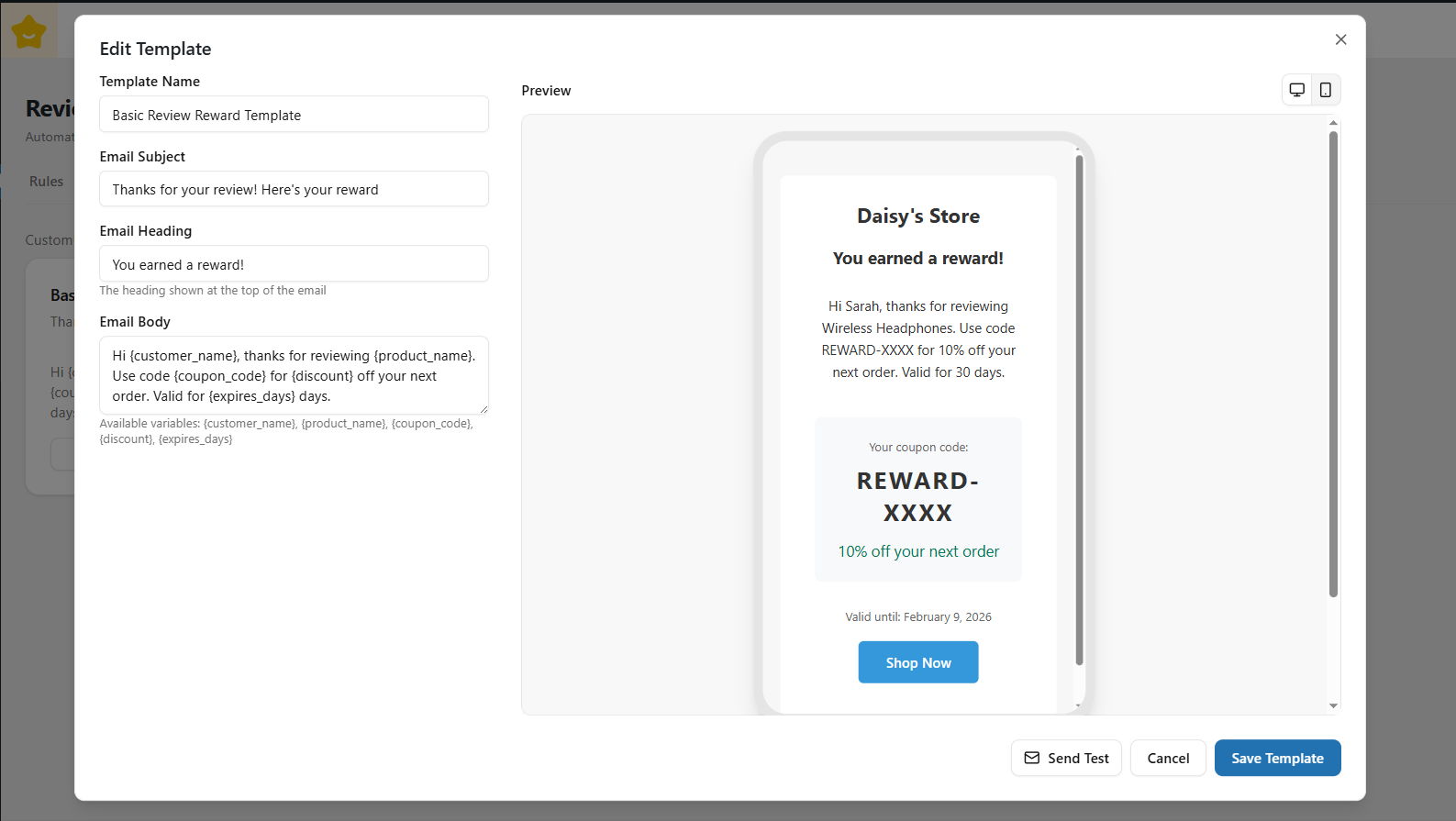
The **Templates** tab allows you to manage coupon templates used for Review Rewards.
Each reward rule is linked to a template that defines how the coupon is generated.
You can edit the following fields:
* **Template Name**
* **Email Subject**
* **Email Heading**
* **Email Body**
Additionally, you can use dynamic shortcodes to personalize emails, such as:
* `{customer_name}`
* `{product_name}`
* `{coupon_code}`
* `{discount}`
* `{expires_days}`
You can also preview each email template in **desktop and mobile views** to ensure it displays correctly across different devices.
### Reward History
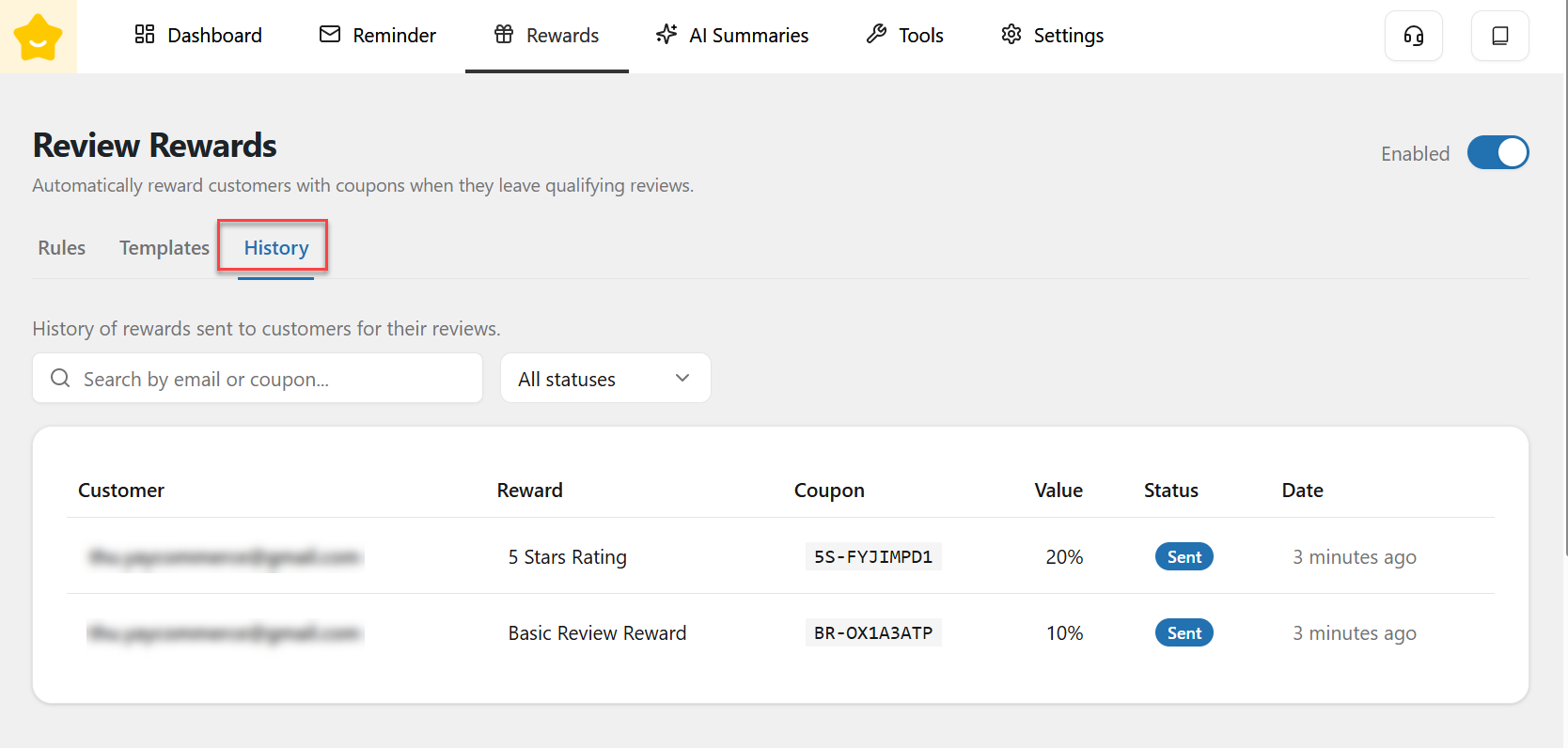
The **History** tab displays a record of all rewards that have been issued.
Here, you can view all reward emails that have been sent to customers, search by Email or Coupon, and filter them by status.
---
# Agent Instructions
This documentation is published with GitBook. GitBook is the documentation platform designed so that both humans and AI agents can read, navigate, and reason over technical content effectively. Learn more at gitbook.com.
## Querying This Documentation
If you need additional information that is not directly available in this page, you can query the documentation dynamically by asking a question.
Perform an HTTP GET request on the current page URL with the `ask` query parameter, and the optional `goal` query parameter:
```
GET https://docs.yaycommerce.com/yayreviews/features/rewards.md?ask=&goal=
```
`ask` is the immediate question: it should be specific, self-contained, and written in natural language.
`goal` is optional and describes the broader end goal you are ultimately trying to accomplish on behalf of the user. GitBook uses it to tailor the answer towards what is most useful for that goal.
The response will contain a direct answer to the question and relevant excerpts and sources from the documentation.
Use this mechanism when the answer is not explicitly present in the current page, you need clarification or additional context, or you want to retrieve related documentation sections.