> For the complete documentation index, see [llms.txt](https://docs.yaycommerce.com/yaypricing/llms.txt). Markdown versions of documentation pages are available by appending `.md` to page URLs; this page is available as [Markdown](https://docs.yaycommerce.com/yaypricing/features/export-import-bulk-tiered-pricing-range-data.md).
# Export/Import Bulk/Tiered Pricing Range Data
How to migrate from other WooCommerce plugins
### Step 1: Prepare Your Bulk Pricing Range Data in CSV File Format
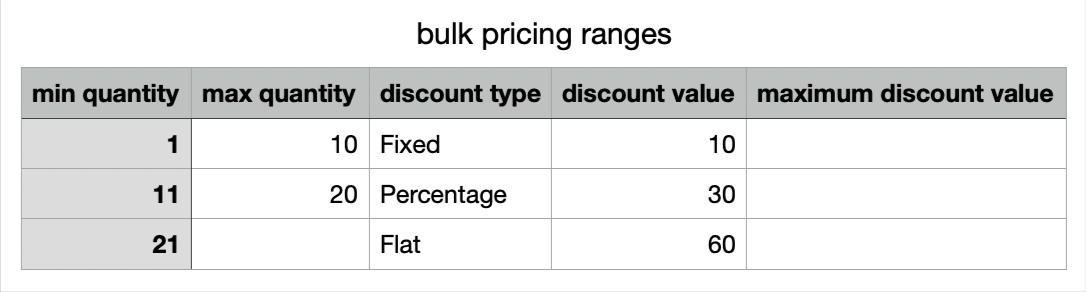
Before importing, you need to have your pricing data organized in a CSV (Comma-Separated Values) file. The CSV file should include the following columns:
* **Min** **quantity**: the minimum number of units a customer must purchase to qualify for a particular pricing tier. This is the starting point of a quantity range.
* **Max** **quantity**: indicates the maximum number of units that fall within a specific pricing tier. This is the endpoint of a quantity range.
* **Discount** **type**: YayPricing supports **Fixed Discount**, **Percentage** **Discount** and **Flat** **Price.**
* **Discount** **value**: is the numerical value associated with the discount type. It represents the amount or percentage to be deducted from the regular price.
* **Maximum** **discount** **value**: sets an upper limit on the total discount that can be applied, ensuring that discounts do not exceed a certain amount.
There are various tools you can use to export CSV files, including online tools, office software, and programming languages such as **Microsoft** **Excel**, **Google** **Sheets**, **LibreOffice** **Calc**, **Apple** **Numbers**, etc.
Here’s the example for a CSV file:
Now, your CSV file is ready to use!
### Step 2: Access YayPricing Plugin
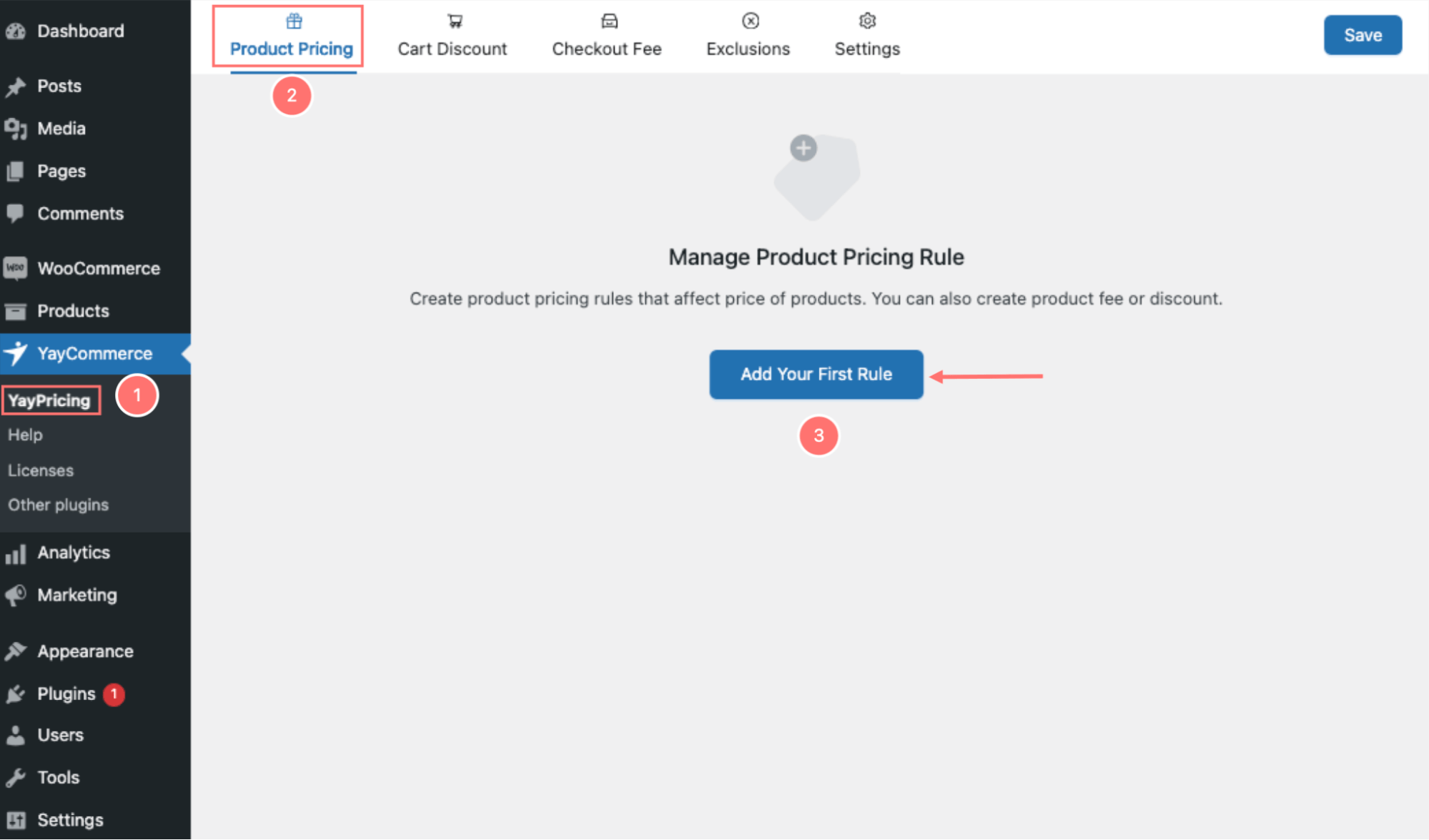
Log in to your **WordPress dashboard > YayCommerce > YayPricing**
In the **Product** **Pricing** tab, click ‘**Add** **Your** **First Rule**’ button or ‘**Add** **Rule**' button to create a new rule for your promotional campaign.
### Step 3: Import Bulk Pricing Ranges
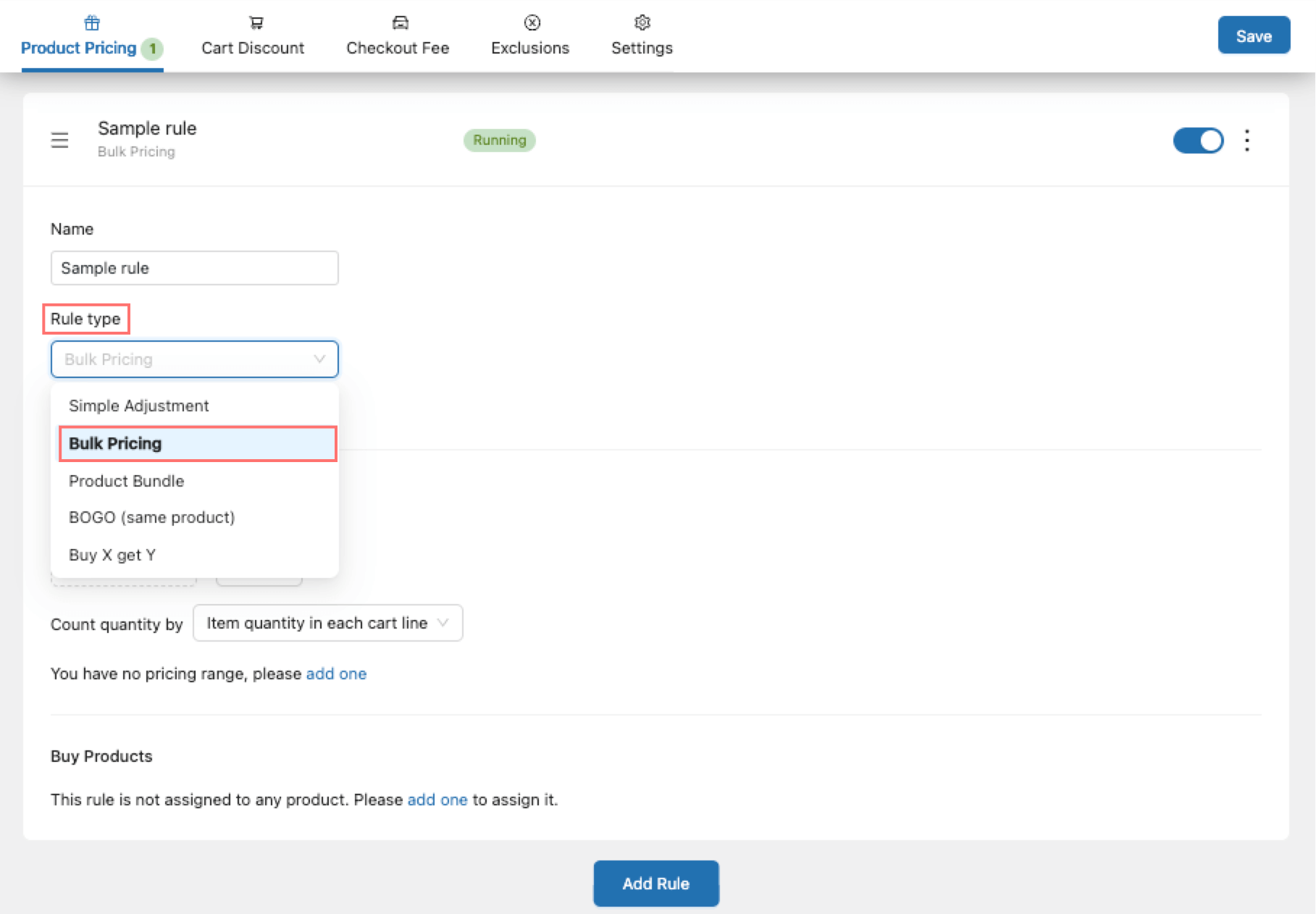
Here, In the **Name** field, you can enter a descriptive name for your pricing rule (optional).
About **Rule** **types** dropdown menus, select **Bulk** **Pricing**.
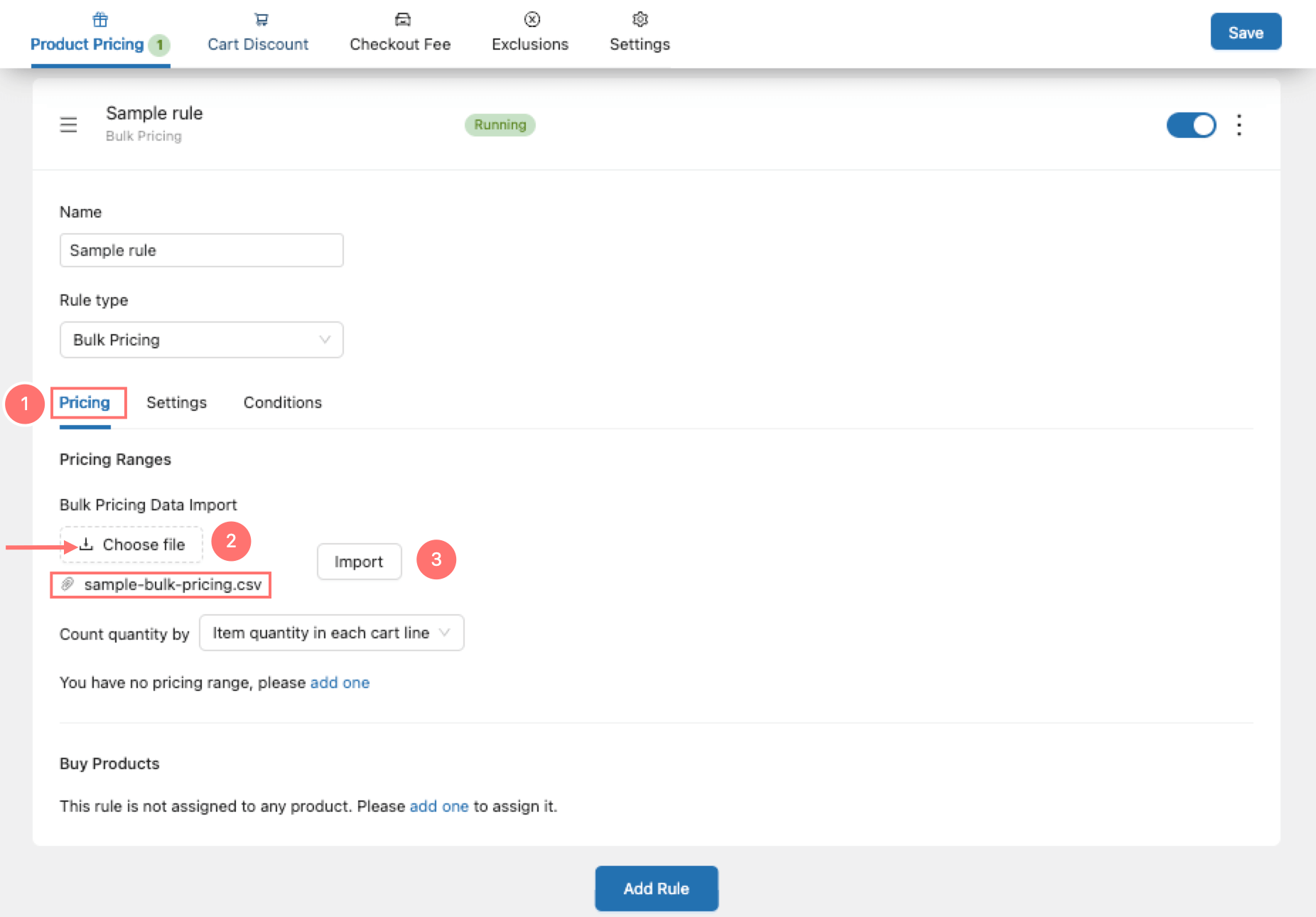
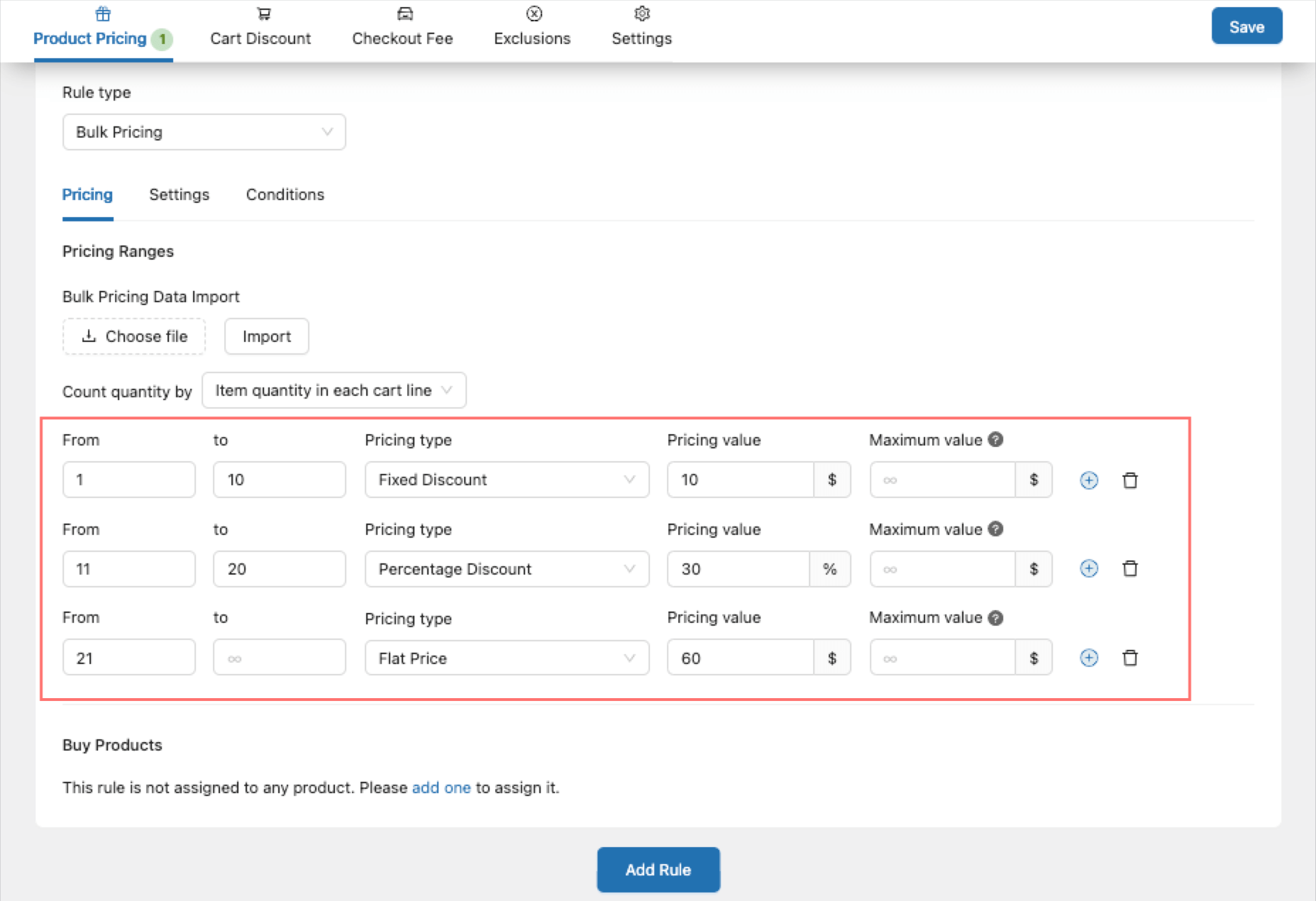
In the **Pricing** section, YayPricing facilitates the import of bulk pricing range data, significantly saving time and minimizing manual effort for users.
1. Clicking on **Choose** **file**.
2. Uploading the CSV file.
3. And then, hitting the **Import** button.
Once the file is uploaded, you will be prompted to map the columns from your CSV file to the corresponding fields in YayPricing.
After mapping, YayPricing will process the data and apply the bulk pricing ranges to your products accordingly.
Happy import-ing! 🤩